ACH580 Installation, Operation and Maintenance Manual 55
ACH580-01 Installation
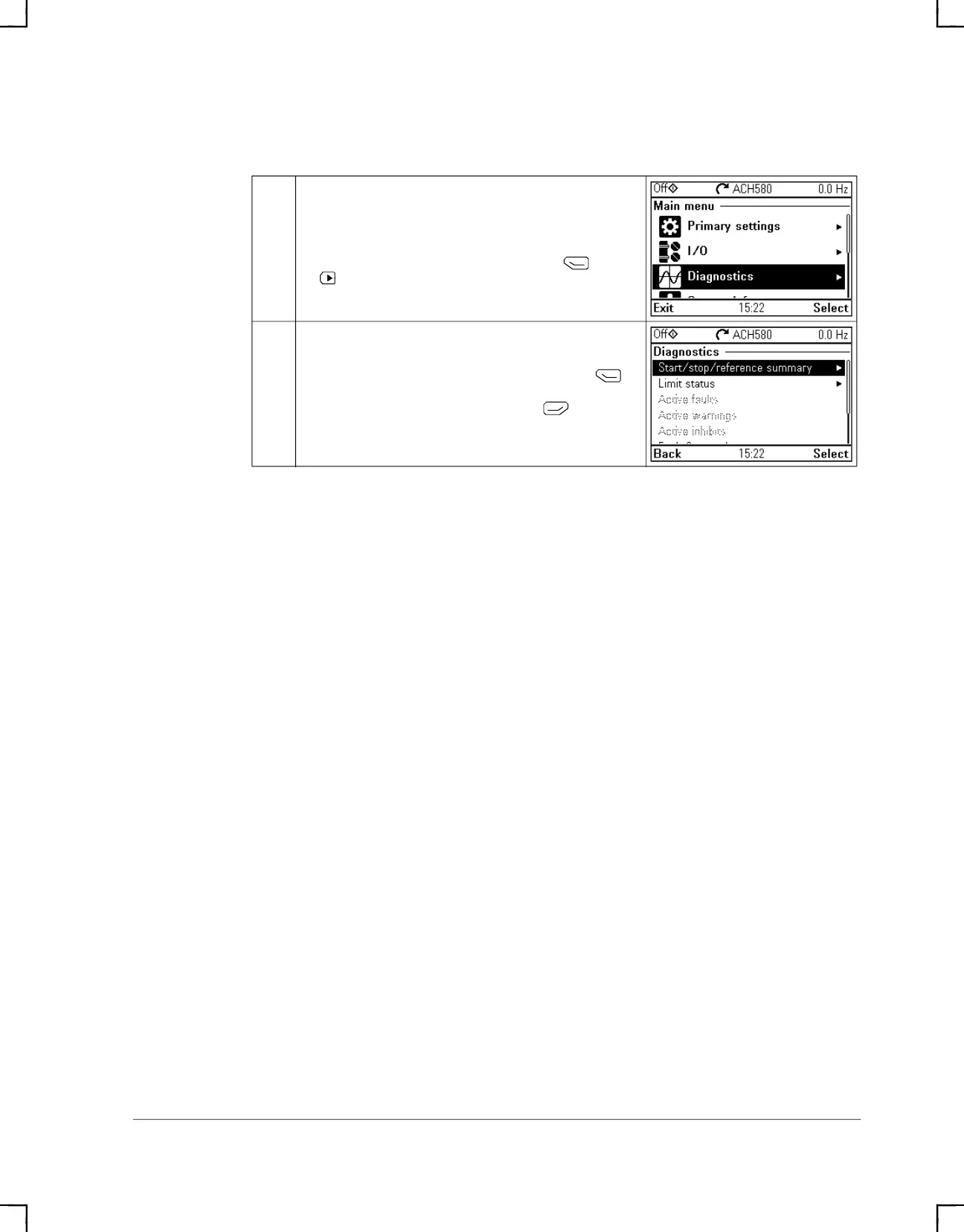
4. Check setup with the Diagnostics menu
1
After making the additional adjustments and checking the I/O
connections, use the Diagnostics menu to make sure that the
setup is functioning correctly.
In the Main menu, select Diagnostics and press (Select)
(or ).
2
Select the diagnostics item you want to view and press
(Select).
Return to the Diagnostics menu by pressing (Back).
ACH580_Inst_Op_Maint_Rev G.book Page 55


 To Next Page