IM300 Intelligent Power Monitoring Instrument
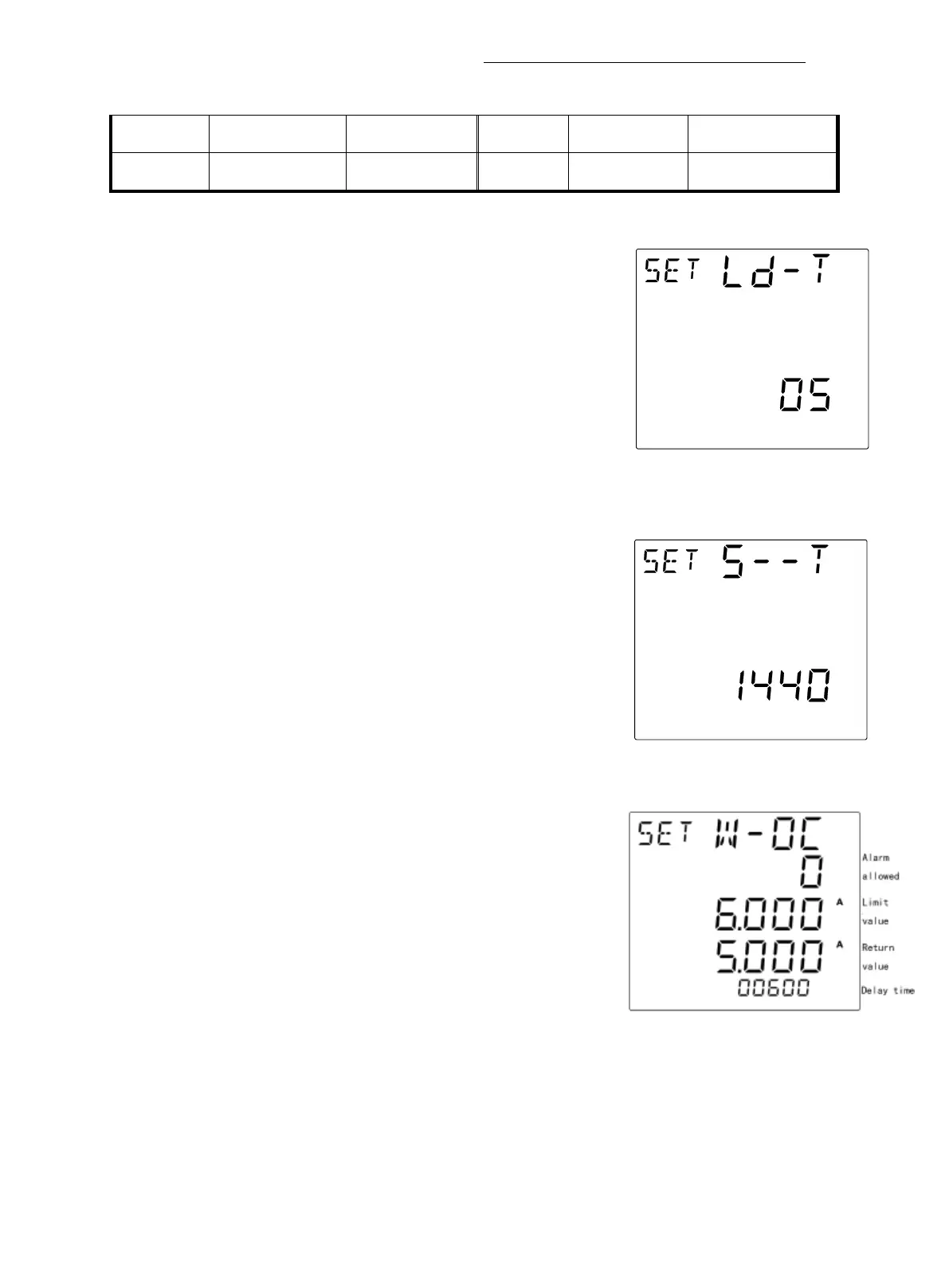
Fig 3-3-13 Backlight time
settings page
Fig 3-3-14 Statistical interval of
electric parameter maximum/minimum
value settings
Fig 3-3-15 Over current alarm parameter
settings page
Unidirectional /
Bidirectional
Screen 10
:
Back-light time settings
This page is used to set the backlight lighting time. The
upper display shows the word "Ld-T", indicates that the
current page as the backlight time setting page, as shown in
Backlight time range is from 0 to 30 minutes, when set
to 0, the backlight is on.
Screen 11: Statistical interval of electric parameter
maximum/minimum value settings
“S—T” on the top of the screen denotes the statistical
interval of electric parameter maximum/minimum value
settings page. as shown in fig 3-3-14: The range of
maximum or minimum statistics interval is from 1
Screen 12:Over current alarm parameter settings.
.The word "w-oc" is displayed at the top of the
screen, indicating that the current page is over current
alarm parameter settings page.
The permitted range of the alarm is 0~1. 0 indicates
that the alarm is not allowed, and 1 indicates that the
alarm is allowed.
The limit value and return value range from 0 to 6000A; the delay time
range from 1 to 60000 ms.



 To Next Page