LST400 | ULTRASONIC LEVEL TRANSMITTER | OI/LST400-EN REV. E
24
Working with the simulator
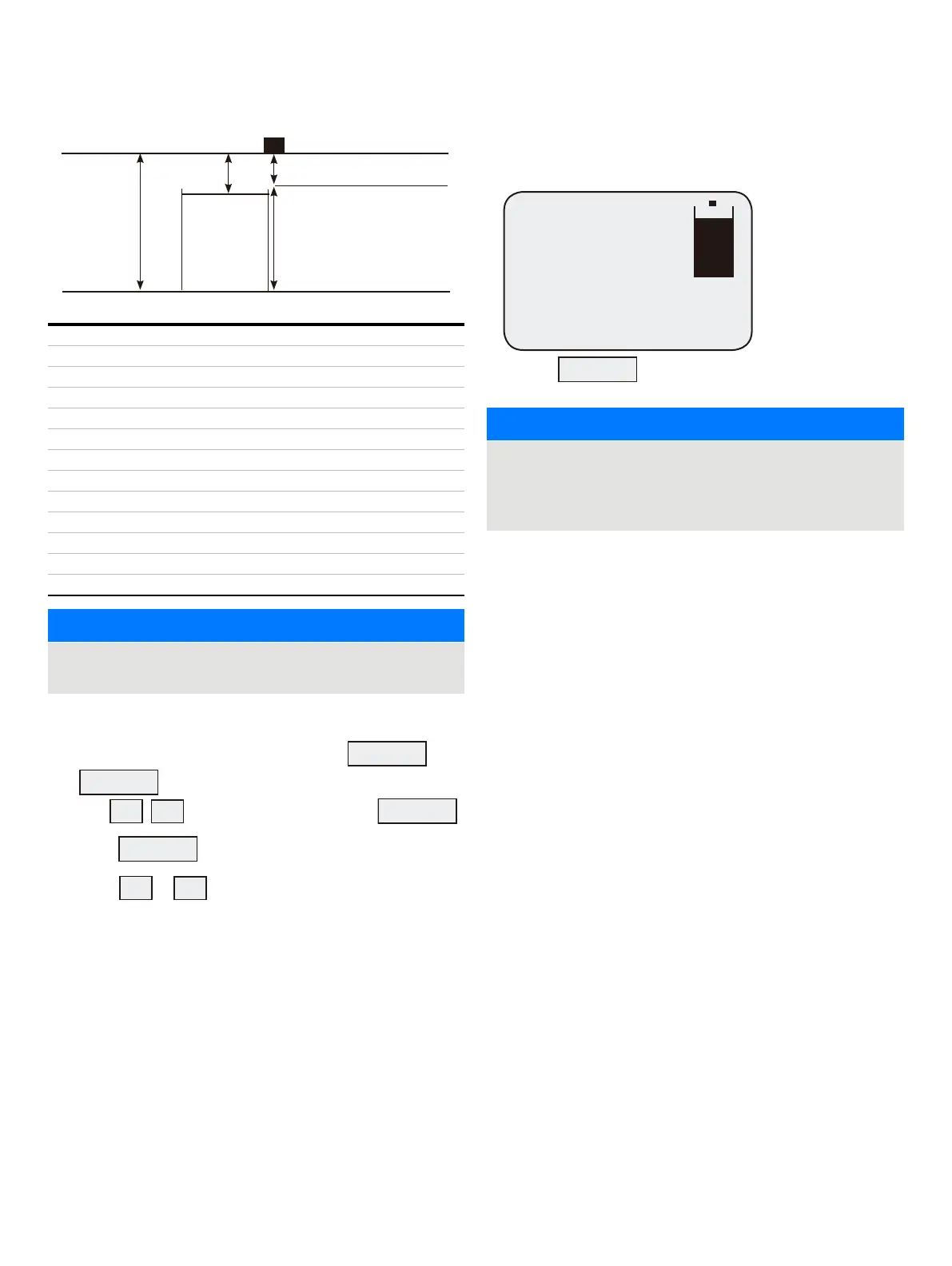
Empty distance
16.5 ft / 5.00 m
2.46 ft / 0.75 m
Blanking distance 1.63 ft / 0.50 m
Span 14.85 ft / 4.50 m
Security code
Mode LEVEL
Empty distance
Span
Blanking
Rate of change
Setup relays YES
HI
LO
NOTICE
Set the relay set and reset point further apart to avoid the
relays from chattering.
In order to activate the simulator proceed with the following:
• Scroll through the menus with either the
SCROLL
or
ENTER
until the option Simulate appears.
• Use
to select YES and then press
ENTER
• Press
RUN
to exit the menu.
• Press
or
to start the simulator to increase or
decrease the level at the rate of change.
Relay 1 will set above 13.3 ft / 4.00 m and reset below 11.55 ft /
3.50 m
Relay 2 will set below 3.28 / 1.00 m and reset above 4.95 ft /
1.50 m.
Level 11.55 ft
mA Output: 16.4mA
Instant: 4.95 ft
Temperature: 20°C
Percentage: 77.77%
• Press
RUN
to stop or start the simulator.
NOTICE
In order for the instrument to go back to normal
measurement mode, go back to the menus and select NO
for the Simulate option or reset the power to the
instrument.


 To Next Page