6. Maintenance
A well-planned and executed maintenance program will
ensure uptime, extend equipment life and reduce overall
costs. Routine maintenance is typically less costly than
the
emergency repairs and parts typically required in order to
correct unexpected equipment failures.
For information on the mechanical and electrical life of
components included in the switchgear, refer to the
individual product documentation.
ABB offers a range of preventive maintenance services and
programs. ABB can also provide ABB-trained expert
technicians and give you fast access to OEM parts.
Contact your ABB representative for more information.
Always use an appropriate voltage-sensing device to
confirm that the power is off prior to installing or working
with the switchgear.
Maintenance work on this equipment should be performed
only by qualified personnel wearing proper personal
protective equipment.
6.1. Lockout/Tagout
The switchgear’s breakers provide the ability to padlock
it in
the OFF position to prevent changing the status or
position.
Follow your local authority having jurisdiction
and/or
facility’s procedures for properly locking out / tagging out
equipment during maintenance.
6.2. Tighten unit control and power terminals
Recommended Interval: Perform annually or based on
your
local maintenance schedule. Using the proper tool for each
connection, verify the tightness of all
control and power
terminals within the units. While tightening the terminals,
be alert for any signs of heat
damage, which indicates
potential problems or loose
connections. Heat generated by
inadequate terminal
torque is one of the leading causes of
equipment malfunction and failure. When heat damage is
observed,
it typically indicates damage to the component.
Repair
or replacement may be required.
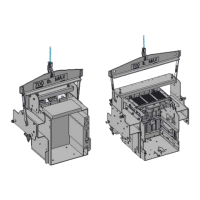
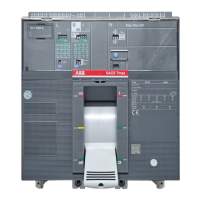
6.3. Remove/insert withdrawable breaker
For information on how to remove or insert a breaker,
reference the specific instructions regarding breakers in
document 1SDH001000R0002, Emax 2 UL Listed Breaker
Installation, Service and Maintenance Instructions.
You may need to withdraw or remove a breaker for repair,
update or testing. The switchgear allows breaker units to be
easily replaced with breakers of the same rating.
You may continue to operate the switchgear with a unit
removed. However, if the breaker will be removed for an
extended period of time, it is advisable to replace it with
another breaker or to temporarily cover the hole where it
was with a blank cover.
While equipment is energized, always cover live parts
to
avoid unintentional contact.
6.4. Inspect units
Inspect each unit prior to first installation and periodically
according to your local maintenance
schedule.
Visually inspect the contacts for damage. Look for excessive
wear or damage (e.g., worn silver or tin layer, signs of
excessive heat, etc.) on all contact surfaces, including
distribution bars, withdrawable breakers,
power cable
connection unit, etc.
See breaker user manual for proper inspection.
Using the proper tool for each connection, verify
the
tightness of all control and power terminals
within the
units.
Be sure that the contacts are properly greased. If they
appear dry, use a brush to apply the appropriate amount
of
contact grease. Each unit will require approximately 3.5g of
lubricant. Grease both the incoming and
outgoing contacts.
Never grease the contacts while the unit is energized.
If you detect contact damage, we recommend replacing the
entire withdrawable unit chassis or the entire contact
system. Contact your ABB representative for assistance
with repair or replacement.




 To Next Page