NETA-21 remote monitoring tool 13
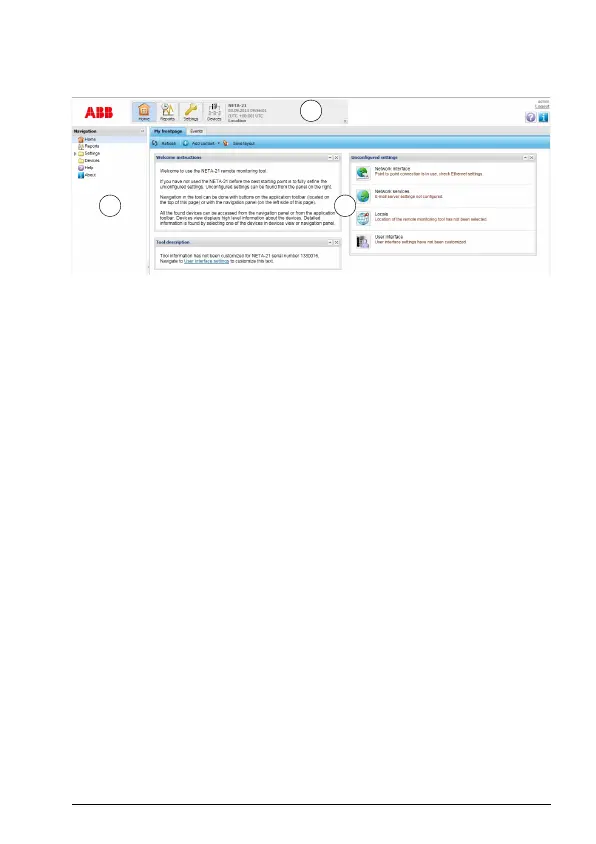
The following figure shows the front page of the user interface.
The main window consists of the following parts:
1. application specific tool bar
2. navigation bar
3. content panel.
Changing the password
To change to your password, go to Settings –> My details –> Change password.
Adding users
To add a user, go to Settings –> Users –> Add user.
It is possible to create user accounts with different roles (Settings –> Users –> Add
user –> User properties –> User role).
Setting date and time
To set date and time, go to Settings –> Locale –> Date and time.
Setting the network interface
To change the network interface settings, go to Settings –> Network interface.
Setting the device interfaces
To change the DDCS settings, go to Settings –> Device interfaces –> DDCS.




 To Next Page