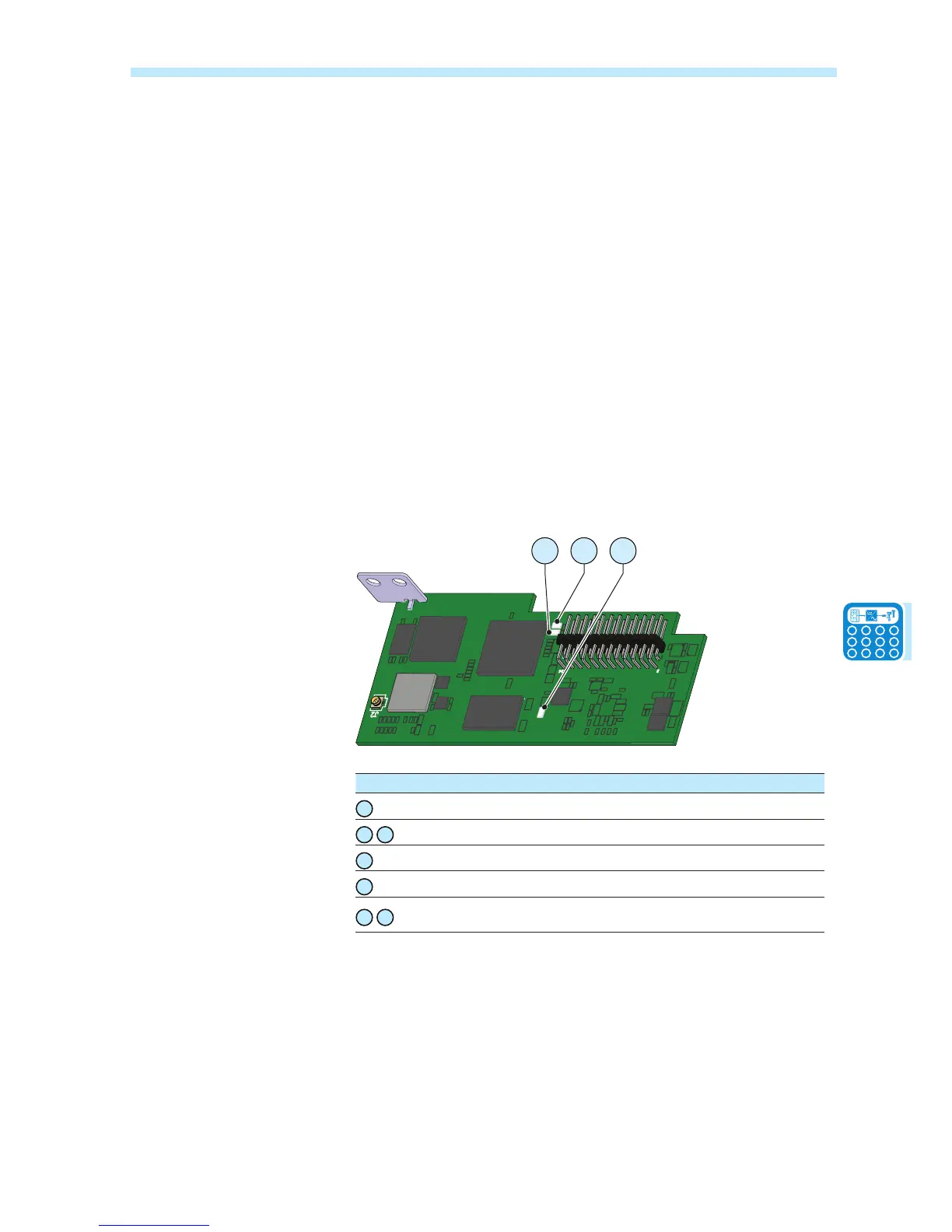
LED behaviour
As soon as the inverter is switched on, the VSN300 board is also
automatically powered, in this condition the led 4 emits a red intermittent
light.
The rst time the board is switched on, it acts like an access point («AP
Mode»). After a few seconds both led 5 and 6 ash alternately emitting a
green and yellow light and then stabilise in the following condition where:
Led 4: ashing red
Led 5: off
Led 6: yellow (steady)
After having connected the VSN300 board to the Wi-Fi router, it stops
operating in «AP Mode» and begins to operate in «Station Mode».
In «Station Mode», the leds of the board modify and behave as follows:
Led 4: ashing red
Led 5: green (steady)
Led 6: off
J1
U8
U3
U11
U7
J2
1
2
23
24
U8
U3
U11
U7
6
LED Led behaviour Description
4
Flashing Board powered
5
6
Green and Yellow ashing Start phase
5
Green (steady) Connected to a local Wi-Fi network
6
Yellow (steady) «Access Point Mode» enabled
5
6
Green and Yellow ashing 3 times
together
Inverter Serial Number acquired


 To Next Page