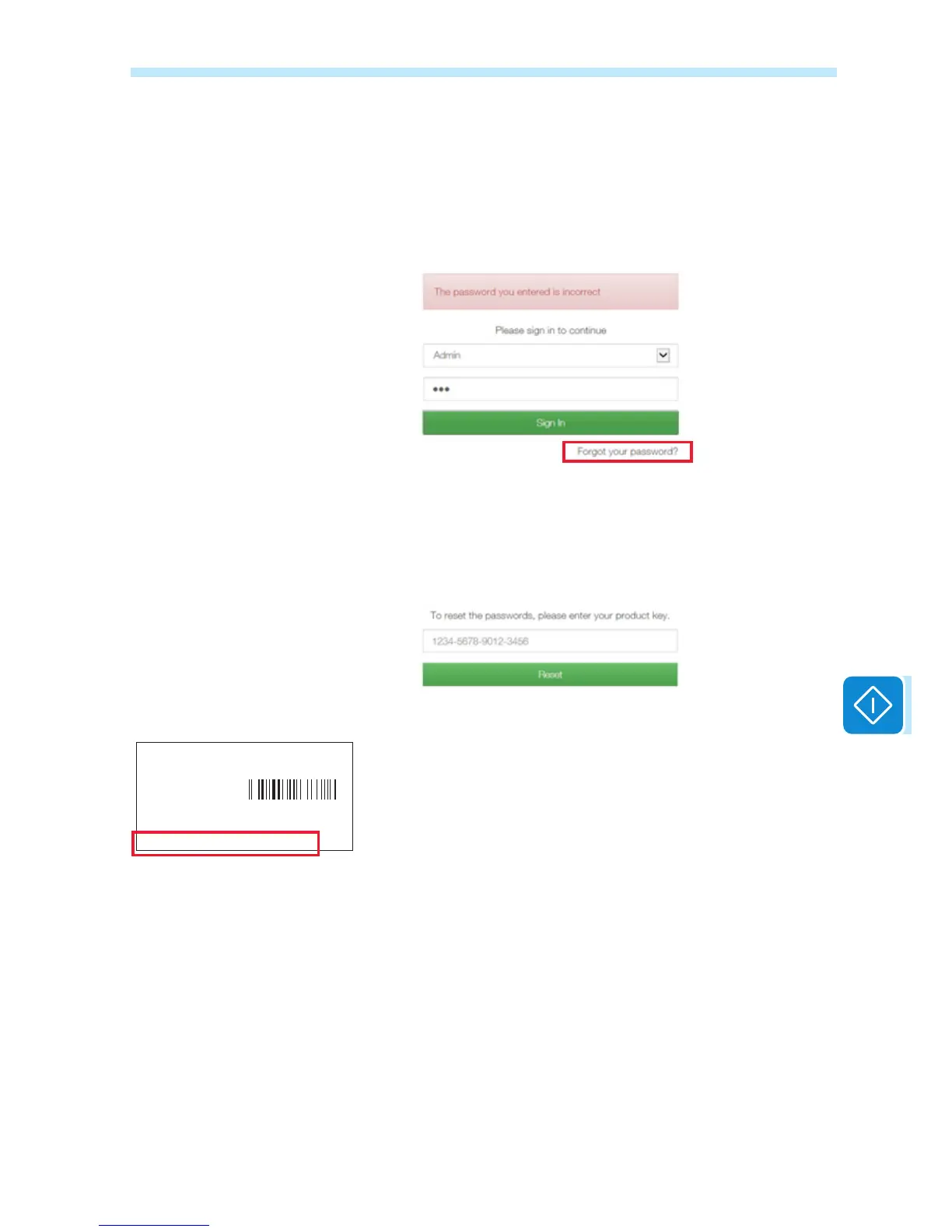
Resetting passwords
If the access password (user or administrator) has been lost, it can be re-
set and a new one can be created by using the «Forgot your password»
control
When the operator clicks on «Forgot your password», he will then be
required to enter the identication code of the «Product Key» board.
The «Product Key» is a unique code which can be found on the identi-
cation label supplied with the board.
Once the «Product Key» has been entered, click on «Reset» to start the
reset procedure and create a new password.
ABB
VSN300 WIFI LOGGER CARD
SN: YYWWSSSSSS
MAC: XX:XX:XX:XX:XX:XX
PRODUCT KEY: XXXX - XXXX - XXXX - XXXX


 To Next Page