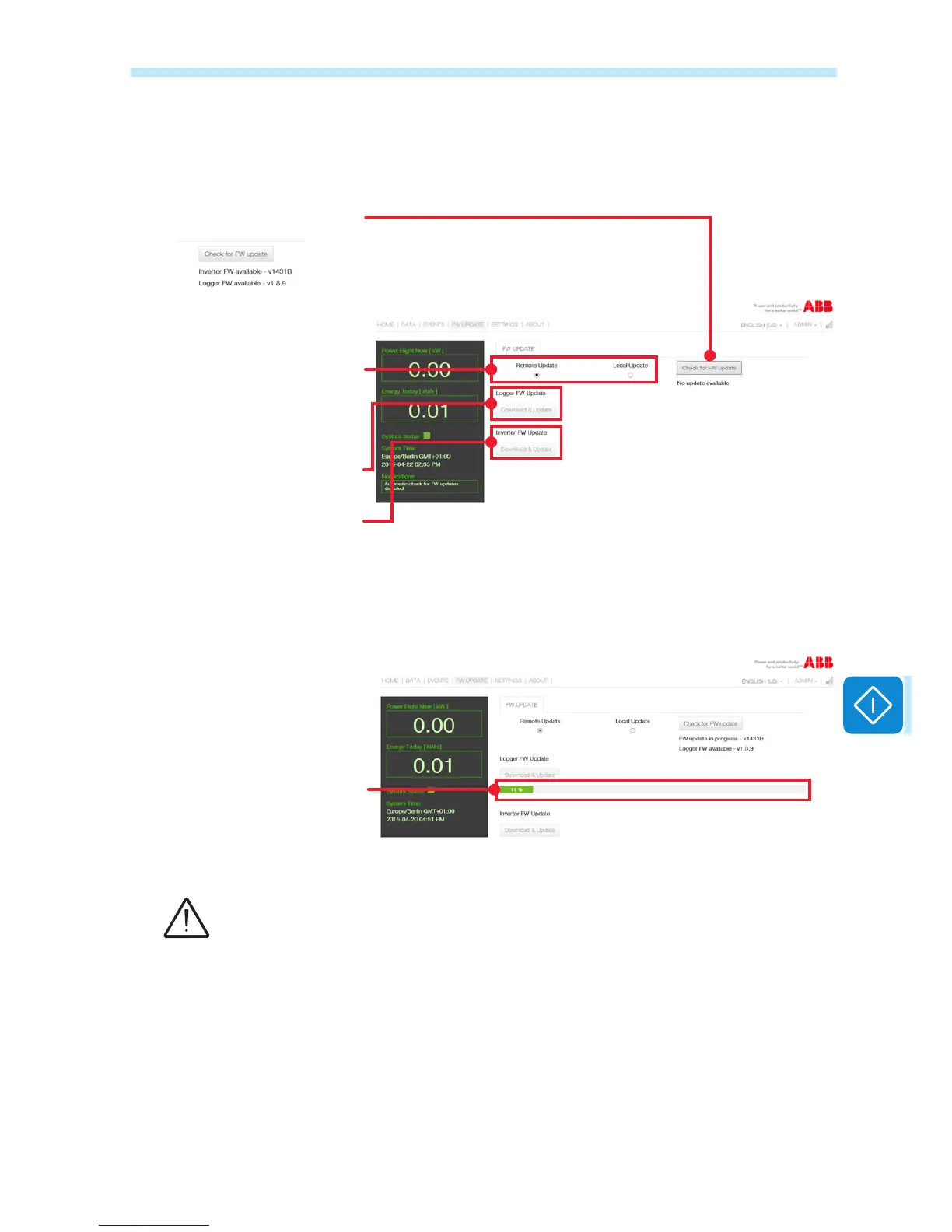
Updates from the Internet
Choose from Firmware update via
access to the ABB remote servers
or by loading into the internal
memory of the local device
Download and update the
Firmware of the VSN300 board
Download and update the
Firmware of the inverter
Button for the manual verica-
tion of the availability of a new
Firmware. If available, a message
appears below the button.
During the Firmware updating process, a progress bar allows the user to
see a percentage of the process completion. At the end of the update, the
updated device will automatically restart.
Firmware update progress bar
The Firmware updating operation (particularly regarding the inverter), can require a
considerable amount of time. This can range from a few minutes up to an hour. Always wait
for the procedure to nish completely and do not disconnect the inverter from the power
source until the procedure has been completed successfully!


 To Next Page