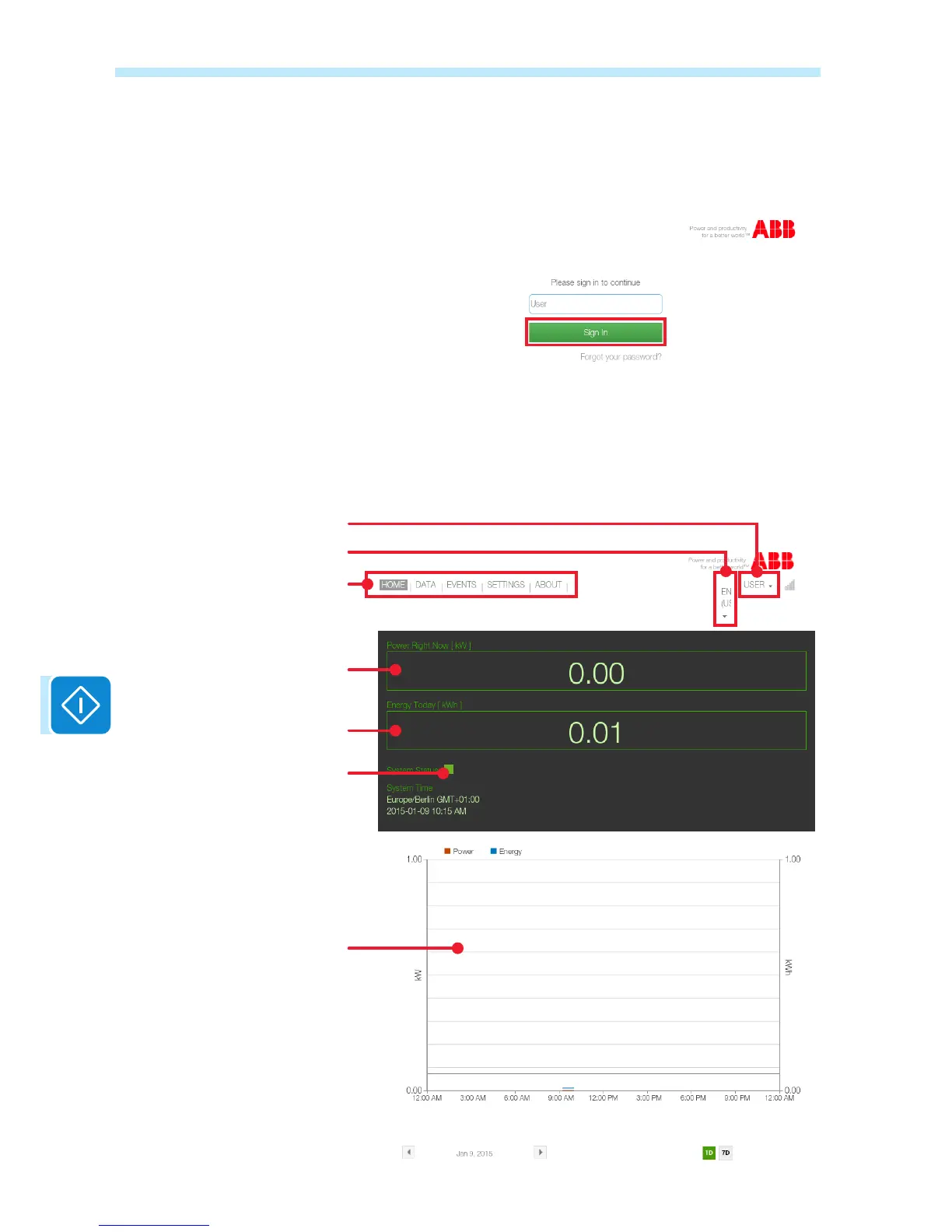
If User access has been set without a password, the password eld will
be removed from the screen and the user will be able to access by simply
clicking on Sign In.
In the event of User protected access, enter the password and click on
Sign In.
After access, the user is directed to the HOME page where there is a
summary of the data relating to the system power identied by the board.
The user can access the various Web Server pages from the navigation
menu and can logout or change the password from the menu in the top
left corner.
Instantaneous power
Navigation menu
Logout and password management
Select the language
Total energy of the day
Graph of the day
Indication of the operating status
of the inverter or board:
Green: no anomaly
Yellow: warning signal (Wxxx)
Red: error signal (Exxxx)


 To Next Page