8
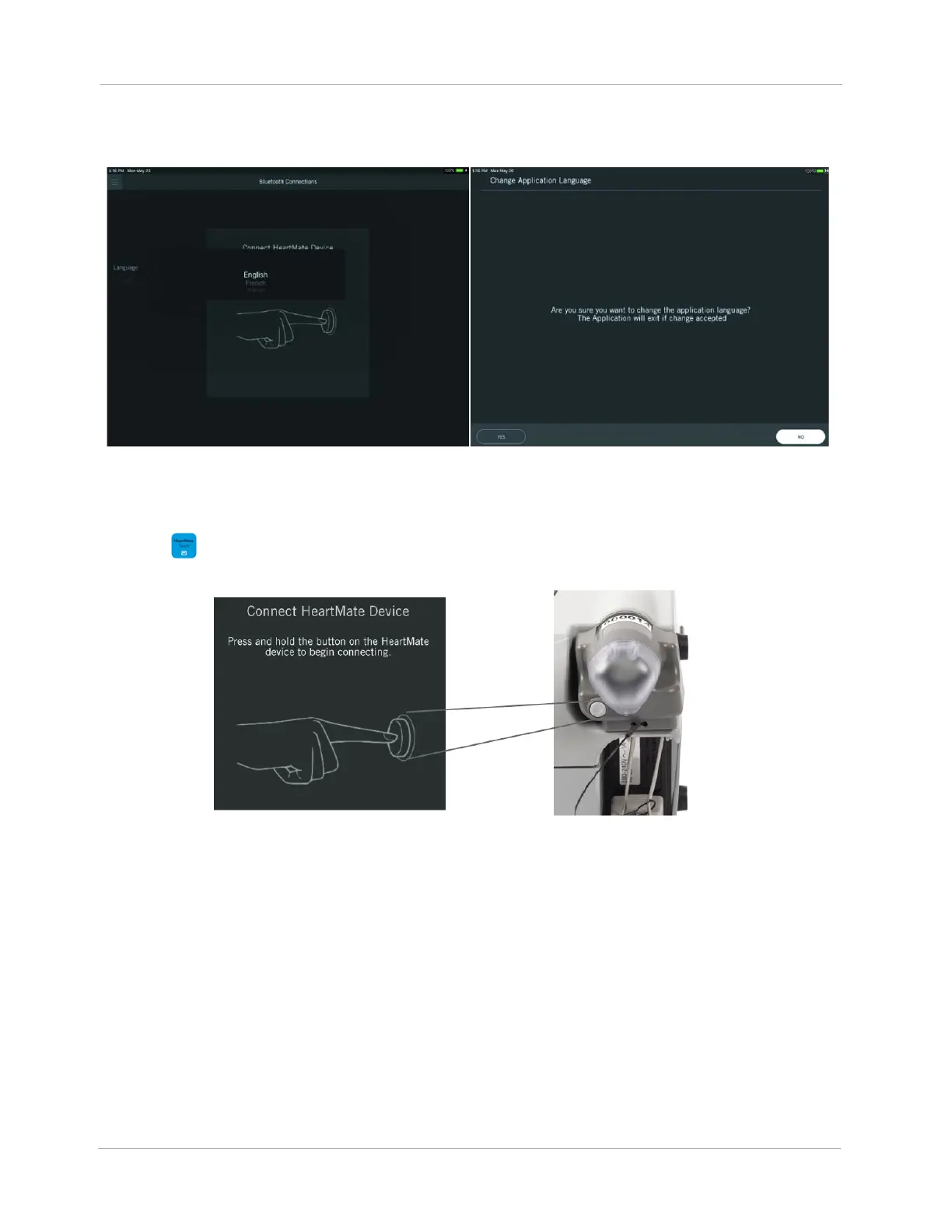
5. Tap the Language drop-down to select a language that matches the language selected for the
Tablet (in the Settings). A language change confirmation message appears.
Figure 4 Select a Language / Confirm
6. Tap YES. The HeartMate Touch App closes.
7. Tap to launch the HeartMate Touch™ App. Press and hold the button on the HeartMate
Touch Wireless Adapter for 3 seconds. A blinking blue light appears.
Figure 5 Turn on Bluetooth
®
Wireless Technology












 To Next Page