Hardware Setup 2-7
(4). BIOS Protection Header
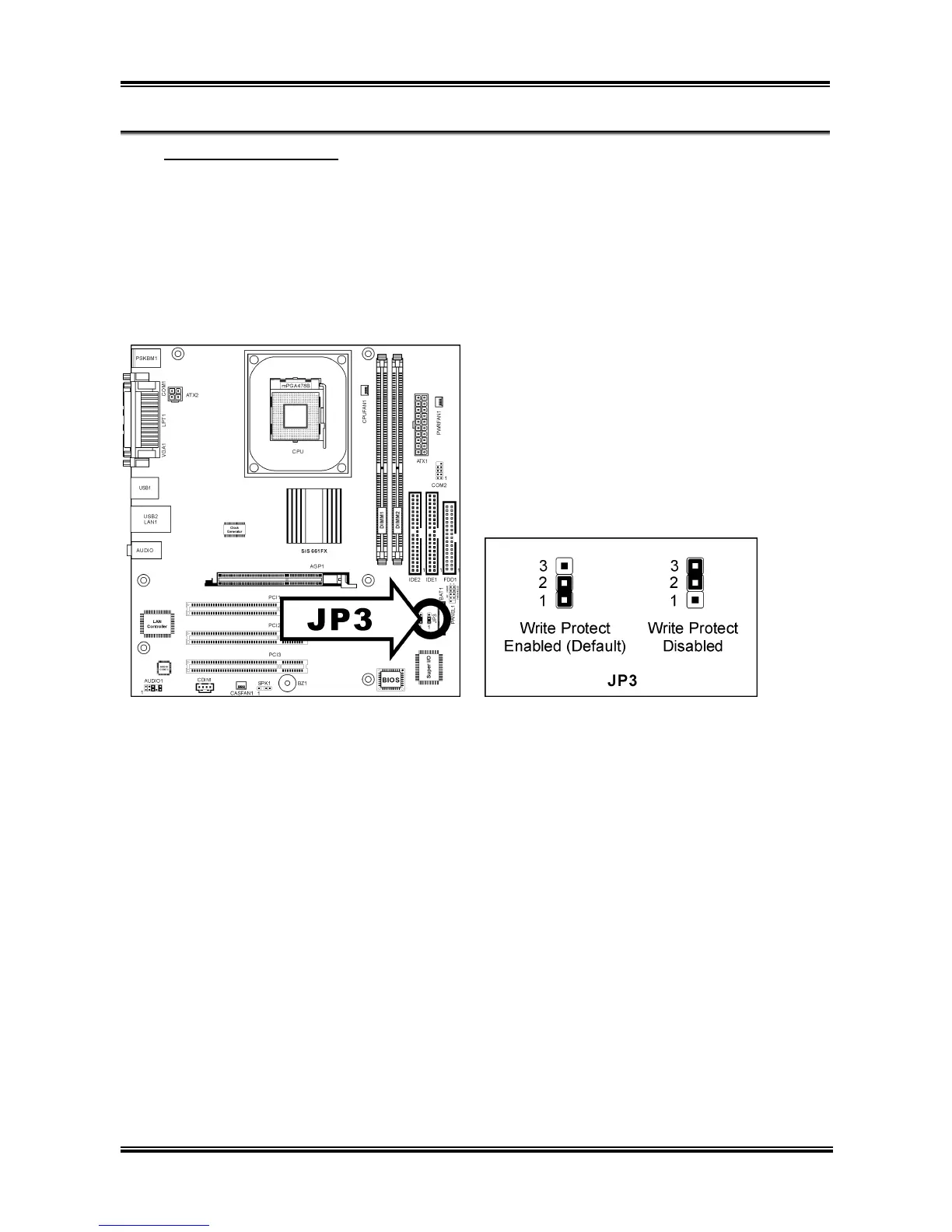
This jumper enables you to prevent the BIOS from being updated (flashed). Set the jumper to Write
Protect Disabled setting if you are going to update your BIOS. After updating the BIOS, return it to the
default Write Protect Enabled setting. Make sure to disconnect all the power cables from the motherboard
before changing the BIOS protection setting.
• Pin 1-2 shorted (Default): Write Protect Enabled.
• Pin 2-3 shorted: Write Protect Disabled.
User’s Manual



 To Next Page