Appendix F
SL6
F-2
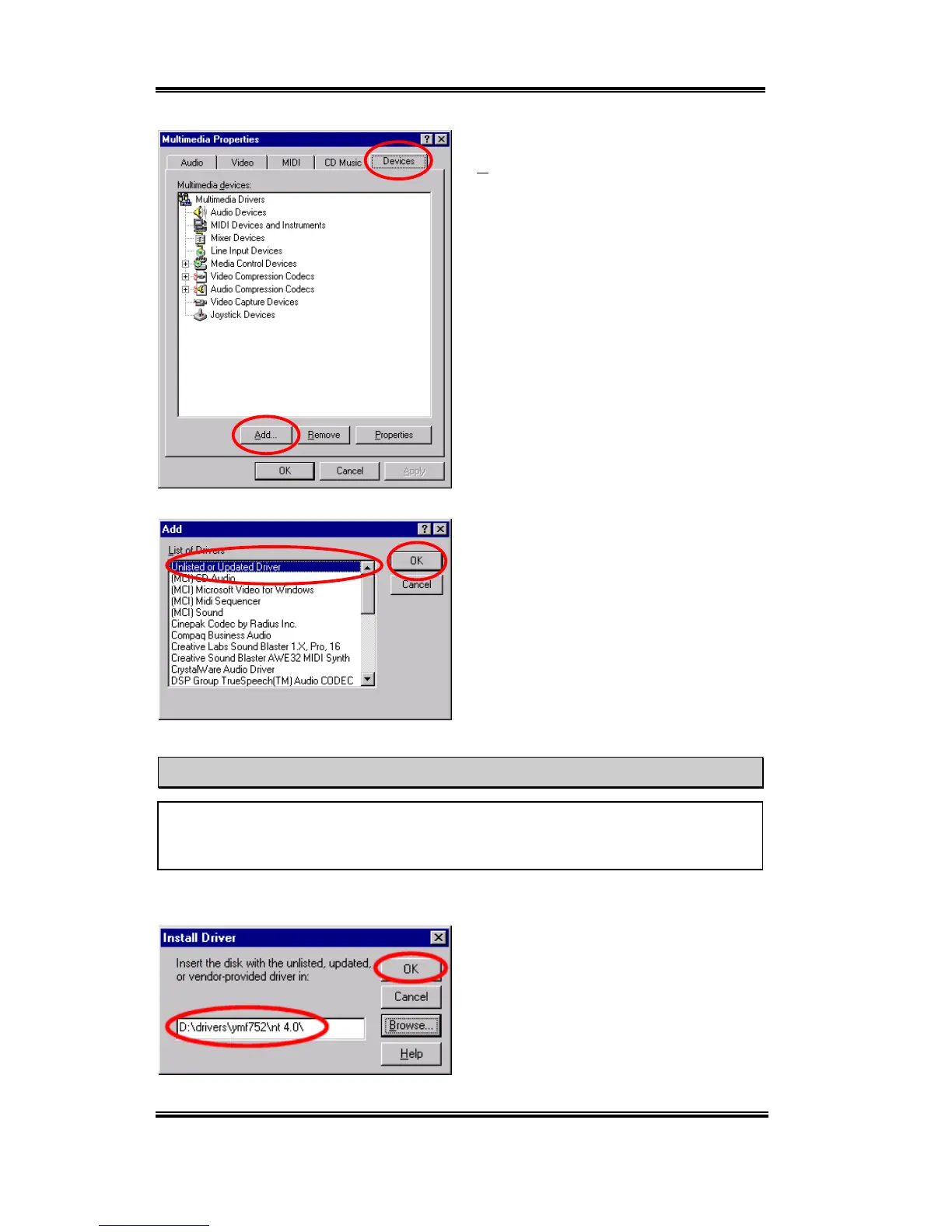
Choose the "Devices" folder then click the
"Add…" button.
Then choose the "Unlisted or Updated
Driver" and click the "OK" button.
NOTE
If you want to play a MIDI file in Windows NT, you have to install Soft Synthesizer S-
YXG50. You can find this software in the SL6 CD-ROM.
You have to specify and manually type the
path of driver location. We’ve put the audio
drivers under the "DRIVERS\YMF752\
NT4.0". The code name of the CD-ROM
drive will depend on how many devices
installed on your computer system. Here it is
shown as D:\.



 To Next Page