Installing the Audio Drivers for the Windows
®
NT 4.0 Server / Workstation F-3
User’s Manual
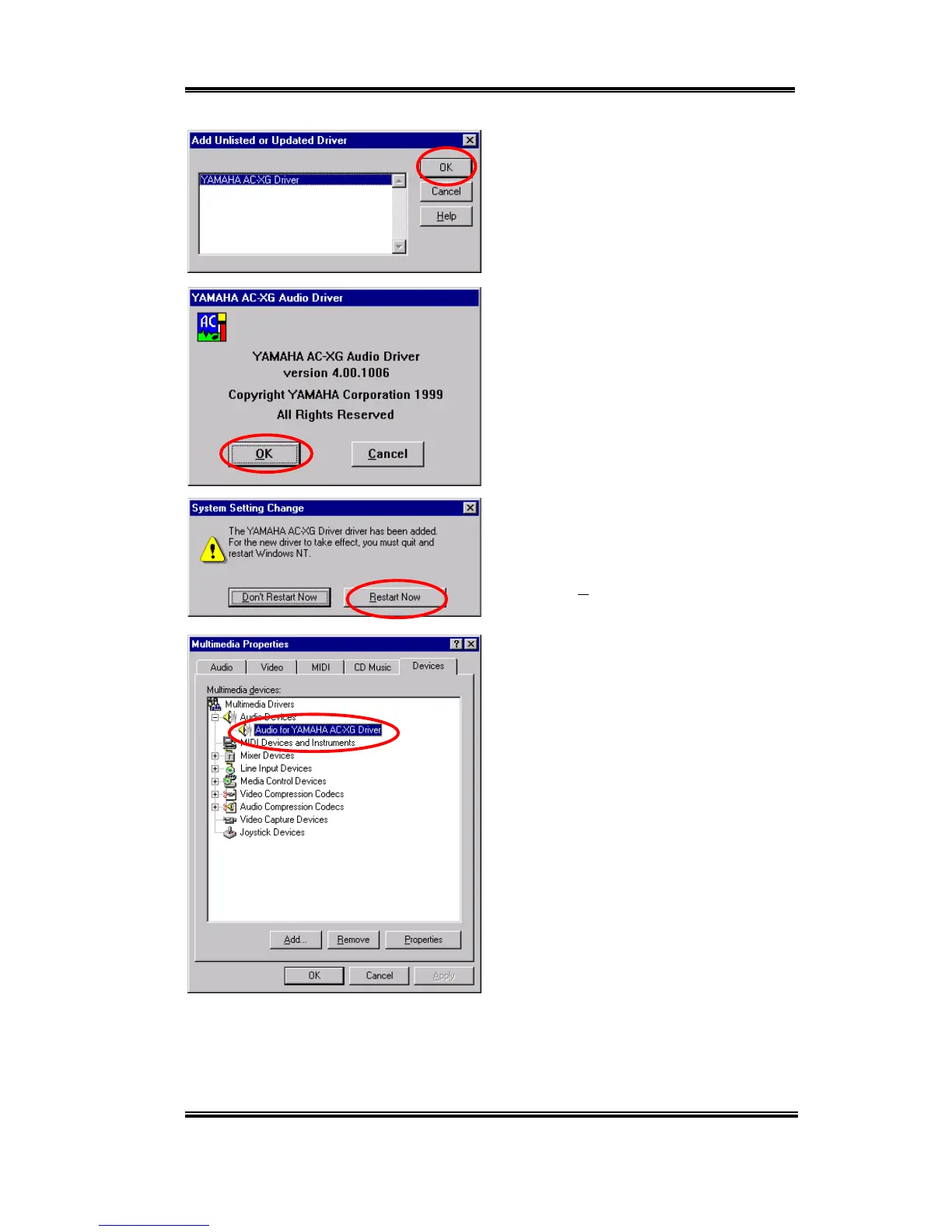
When Windows finds the driver you can
choose the item "YAMAHA AC-XG
Driver" and click "OK" button.
Click “OK.”
The screen shows the "System Setting
Change" message. You need to restart your
computer to complete the updating process.
Click the "Restart Now" button to restart
your computer.
After Windows NT restarts, check the
"Multimedia Properties" again. You will see
the Yamaha AC-XG had been identify.



 To Next Page