Appendix J
SL6
J-2
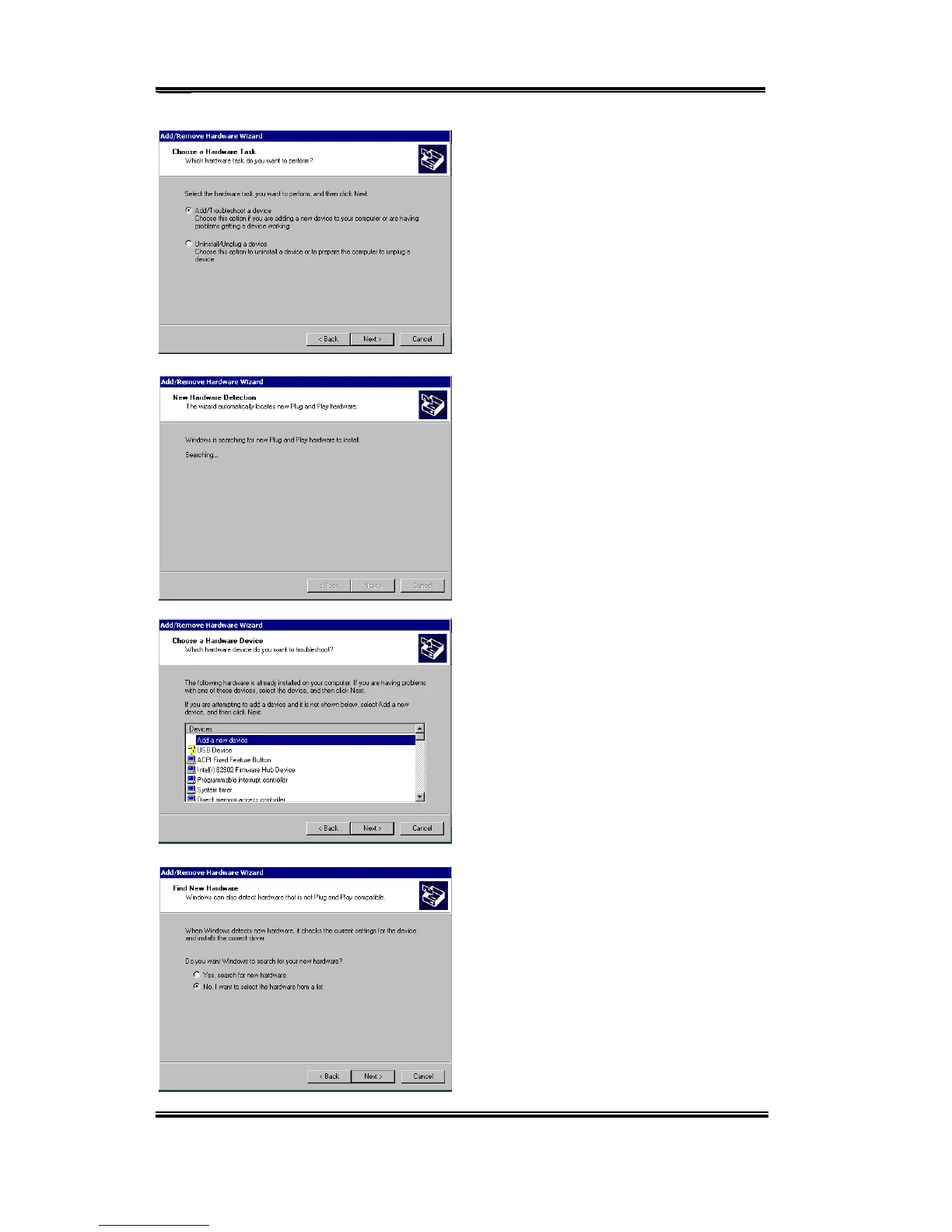
You will be asked to choose a hardware
device. Choose “Add/Troubleshoot a
device” and then “Next” to go on.
Windows will search for new hardware.
Choose “Add a new Device”. Then press
“Next” to go on.
When asked if you want Windows to search
for hardware, choose “No, I want to select
the hardware from a list” Then press
“Next”



 To Next Page