Installing the Audio Drivers for the Windows
®
2000 Server / Workstation J-3
User’s Manual
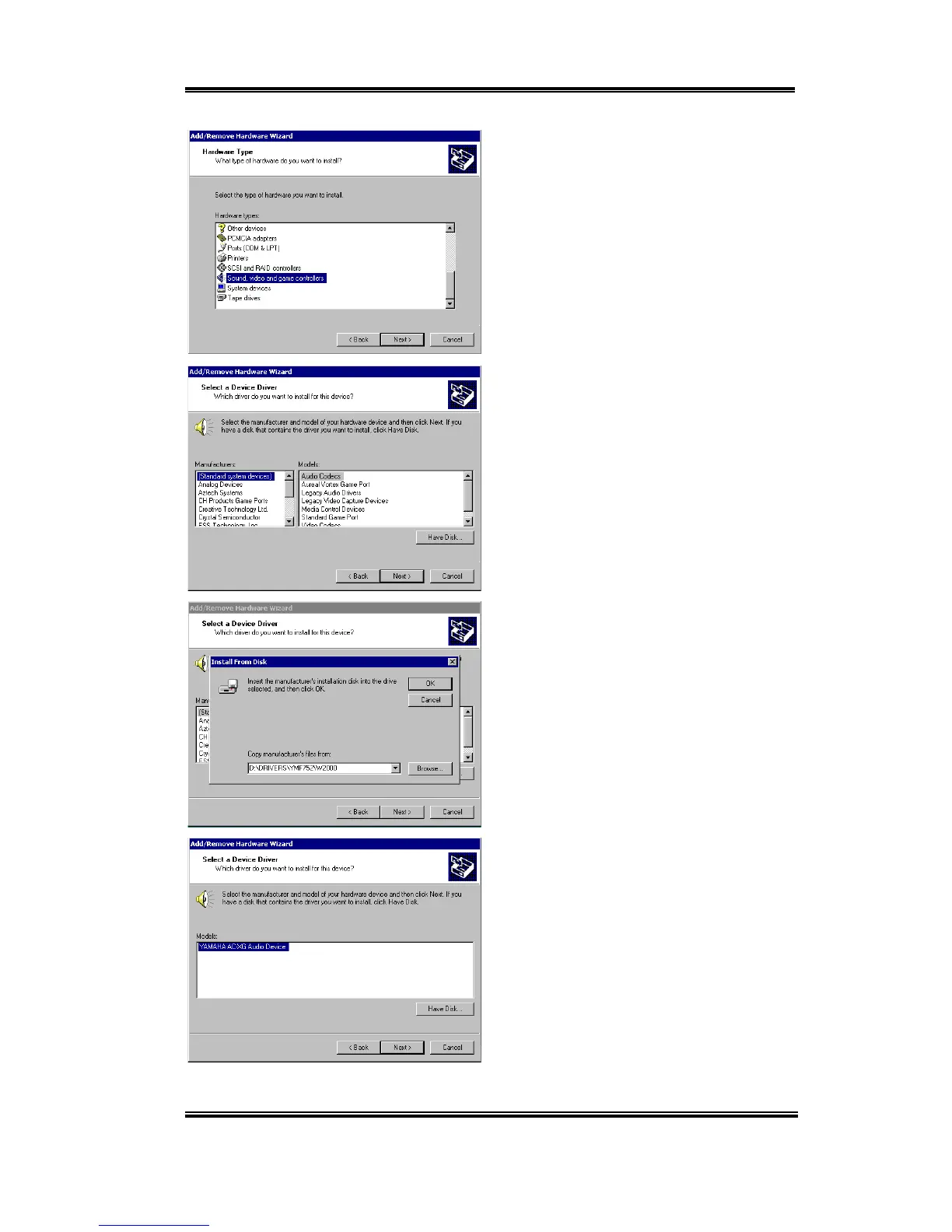
You will be asked the type of hardware you
want to install. Select “Sound, video and
game controllers” and then “Next” to go on.
When Selecting a Device Driver, choose
“(Standard system devices)” and “Audio
Codecs” and then “Next” to go on.
You will be asked to install the driver from
disk. Insert the SL6 CD-Title into your
CD-ROM drive. Press “Next” to go on.
Under Select a Device Driver, the “Yamaha
Ac-XG Audio Device” driver must be
copied from the CD-ROM onto your
computer. Press “Next” to go on.



 To Next Page