2-8 Chapter2
SL6
IR1
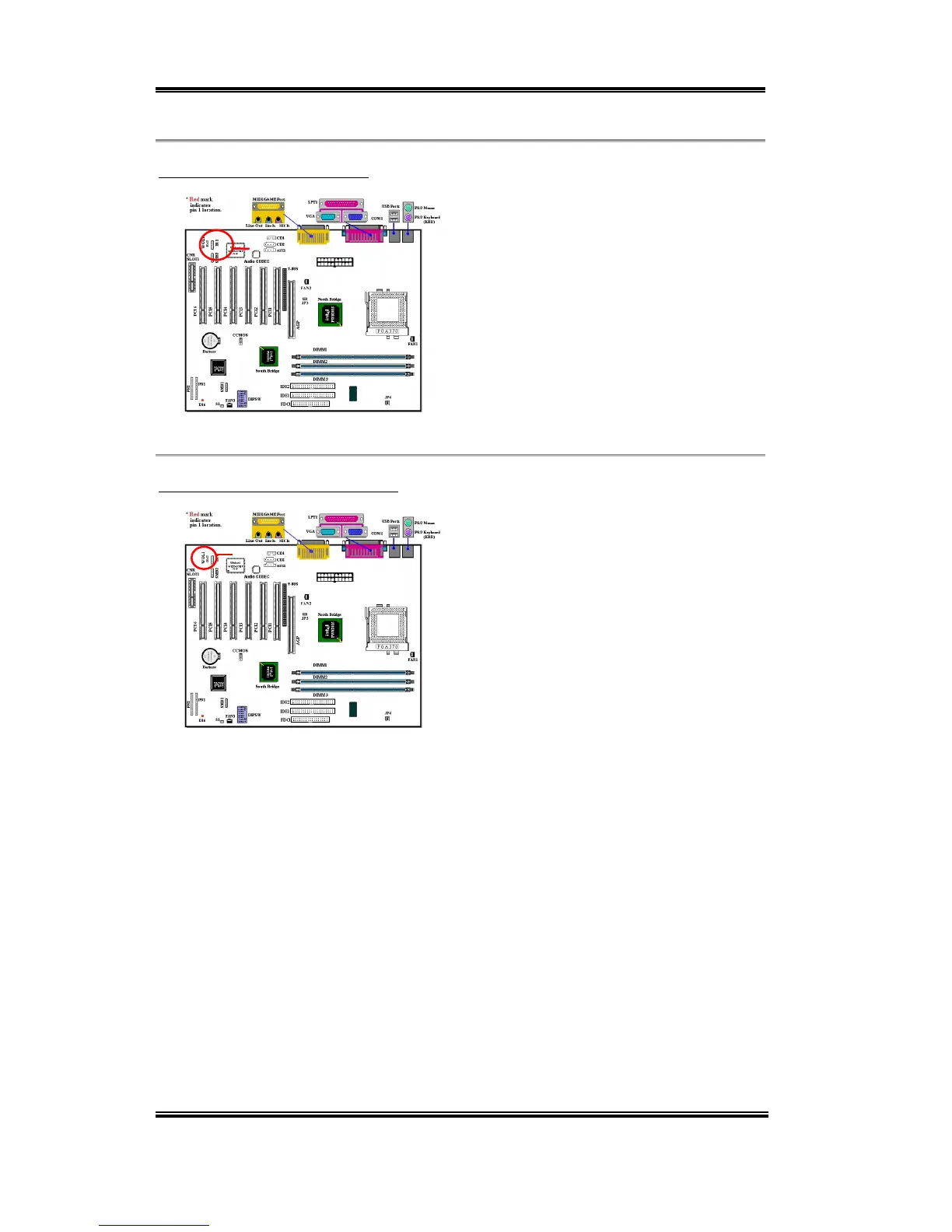
WOL1
(3) IR1: IR Header (Infrared)
There is a specific orientation for pins 1
through 5, attach the connector from the IR
KIT or IR device to the IR1 header (left row
only). This motherboard supports standard
IR transfer rates.
Note: Watch the pin position and the
orientation
(4) WOL1: Wake on LAN Header
If you have a network adapter that supports
this feature, then you can connect the
specific cable from the network adapter to
this header. This feature lets you wake up
your computer via remote control through a
local area network. You may need a specific
utility to control the wake up event, such as
the PCnet Magic Packet utility or other
similar utilities.
Note: Watch the pin position and the orientation



 To Next Page