Installing the Motherboard 2-15
User’s Manual
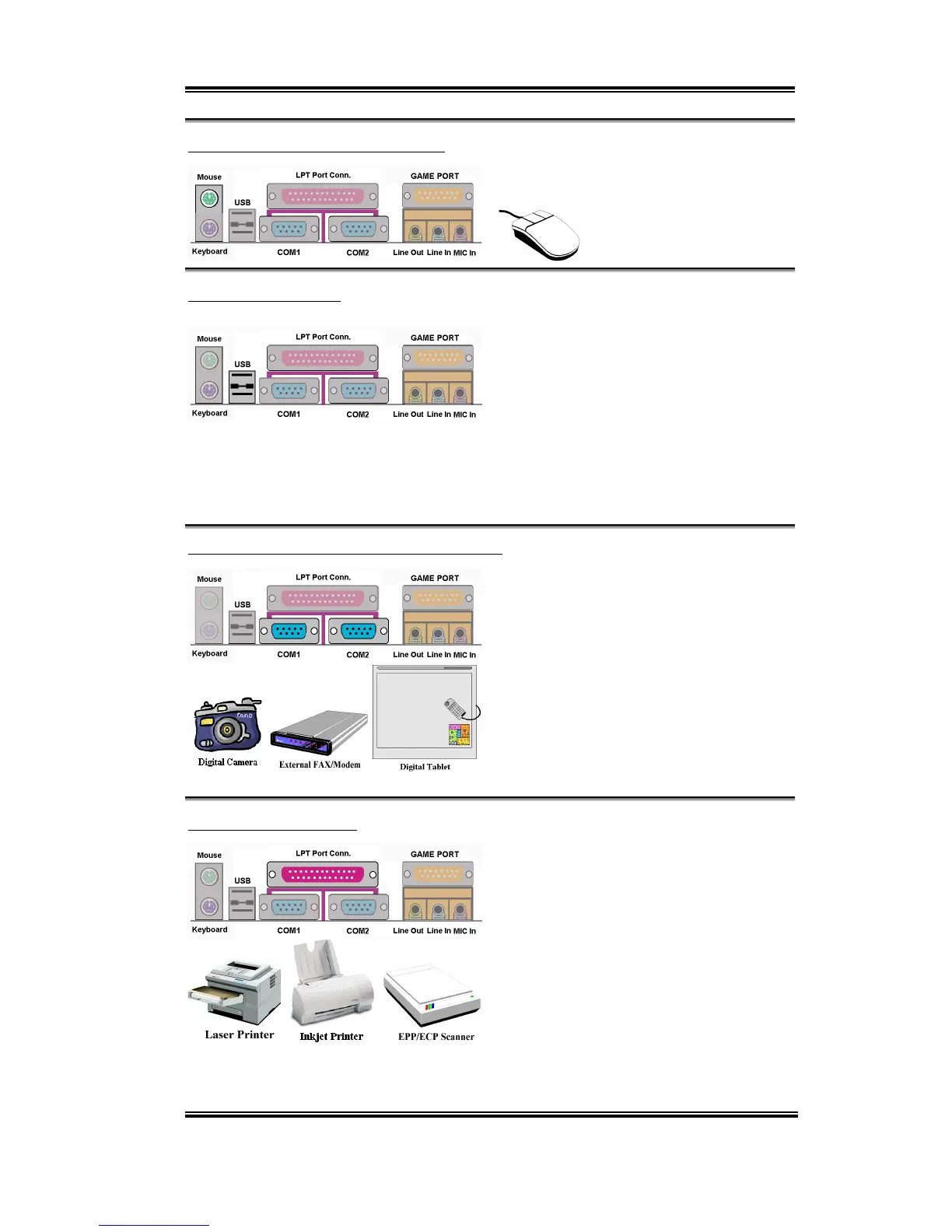
KM1 Upper: PS/2 Mouse Connector
Attach a PS/2 mouse to this 6-pin Din-
connector.
USB Port Connectors
This motherboard provides two USB ports.
Attach the USB connector from the
individual device to these connectors.
You can attach USB devices such as a,
scanner, digital speakers, monitor, mouse,
keyboard, hub, digital camera, joystick etc. to one of each USB connector. You must make
sure your operating system supports this feature and you may need to install an additional
driver for individual devices. Please refer to your device user’s manual for detailed
information.
Serial Port COM1 & COM2 Port Connector
This motherboard provides two COM ports,
you can connect an external modem, mouse
or other devices that support this
communication protocol to these
connectors.
You can decide which external devices you
want to connect to COM1 and COM2. Each
COM port can only have one device
connected at a time.
Parallel Port Connector
This parallel port is also called an “LPT”
port, because it usually connects to the
printer. You can connect other devices that
support this communication protocol, like
an EPP/ECP scanner, etc.



 To Next Page