2-16 Chapter2
VL6
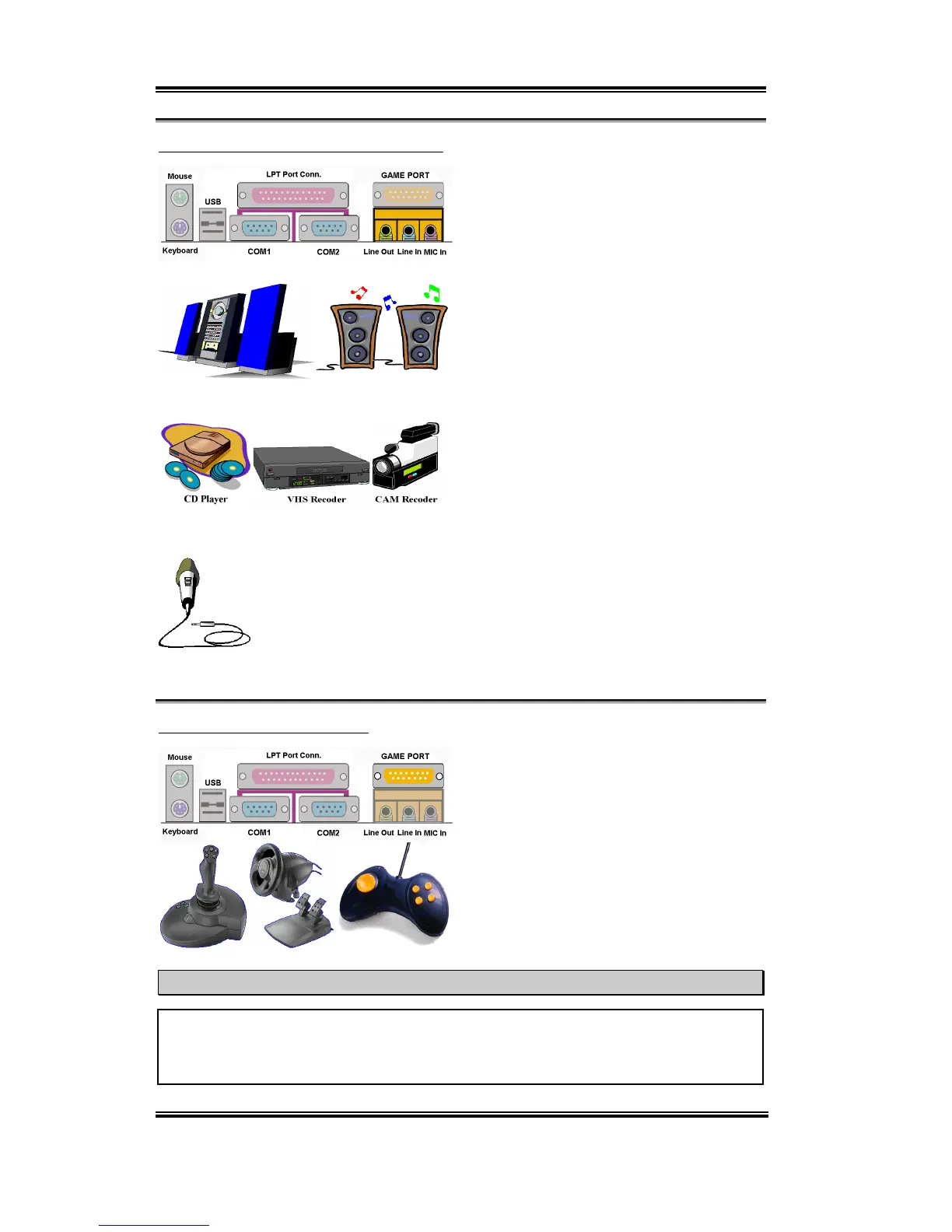
Line Out, Line In and Mic In Connector
Line Out connector:
You can connect an
external stereo speaker signal input plug to
this connector, or you can connect the plug
from here to the stereo audio equipment
AUX signal input socket. Remember, the
motherboard does not have a built in
amplifier to drive the speaker. You must use
a speaker that has a built in amplifier.
Otherwise, you may not be able to hear any
sound or only a small volume of sound from
the speaker.
Line In Connector:
You can connect the
TV adapter audio output signal, or external
audio sources, like a CD walkman, video
camcorder, VHS recorder audio output
signal plug to this connector. Your audio
software can control the input level for the line-in signal.
Mic In Connector:
You can connect the plug from the microphone to
this connector. Do not connect other audio (or signal) sources to this
connector.
MIDI/GAME Port Connector
You can connect your joystick, game pad, or
other simulation hardware device DIN 15-
pin plugs to this connector. Please refer to
the further connection notes of the device’s
user's manual for further detailed
information.
Note
This chapter contains many color drawing diagram and photos, we strongly recommend
you to read this chapter use the PDF file we gave you that store in the CD-Title. It will
provide you the better look and clearly color identify.



 To Next Page