3-28 Chapter 3
VL6
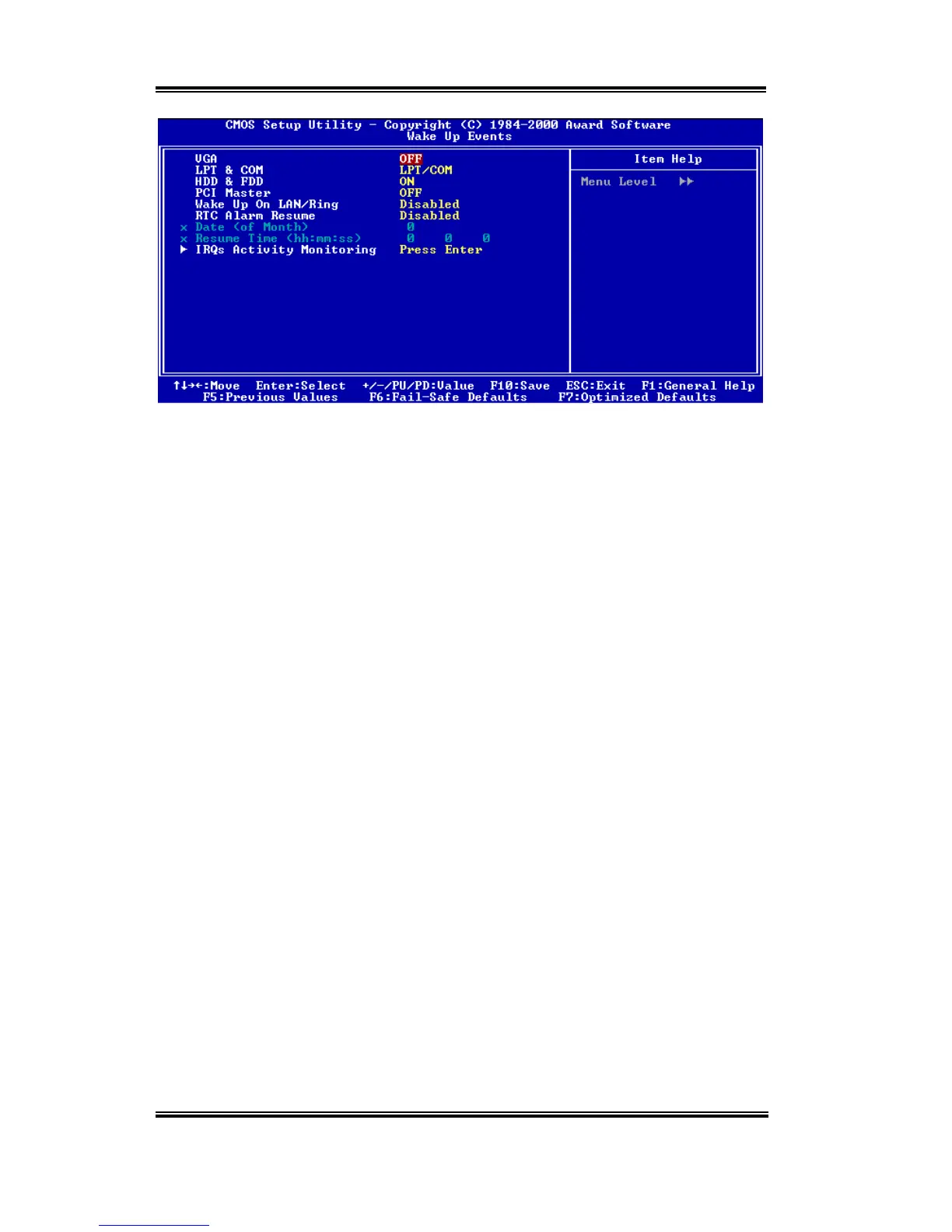
Figure 3-7C. Wake Up Events Setup Menu
➤
➤➤
➤
VGA:
Two items available: On or Off. The default setting is
Off.
When set to On, any event
occurring at a VGA port will awaken a system, which has been powered down.
➤
➤➤
➤
LPT & COM:
Four items available: LPT/COM
'
None
'
LPT
'
COM. The default setting is
LPT/COM.
When set to LPT/COM, any event occurring at a LPT (printer) /COM (serial)
port will awaken a system which has been powered down.
➤
➤➤
➤
HDD & FDD:
Two items available: On or Off. The default setting is
On.
When set to On, any event
occurring at a hard disk drive or floppy drive port will awaken a system, which has been
powered down.
➤
➤➤
➤
PCI Master:
Two items available: On or Off. The default setting is
Off.
When set to On, any event
occurring at PCI Master signal will awaken a system, which has been powered down.
➤
➤➤
➤
Wake Up On LAN/Ring:
Two items available: Disabled or Enabled. The default setting is
Disabled
. When set to
Enabled, any event occurring to the LAN/Modem Ring will awaken a system, which has
been powered down.
➤
➤➤
➤
RTC Alarm Resume:
Two items available: Disabled or Enabled. The default setting is
Disabled
. When
Enabled,
your can set the date and time at which the RTC (real-time clock) alarm
awakens the system from Suspend mode.
✏
Date (of Month) / Timer (hh:mm:ss):
You could set the date (of month) and timer (hh:mm:ss), any event occurring at will
awaken a system, which has been powered down.



 To Next Page