Introduction of the BIOS 3-29
User’s Manual
IRQs Activity Monitoring
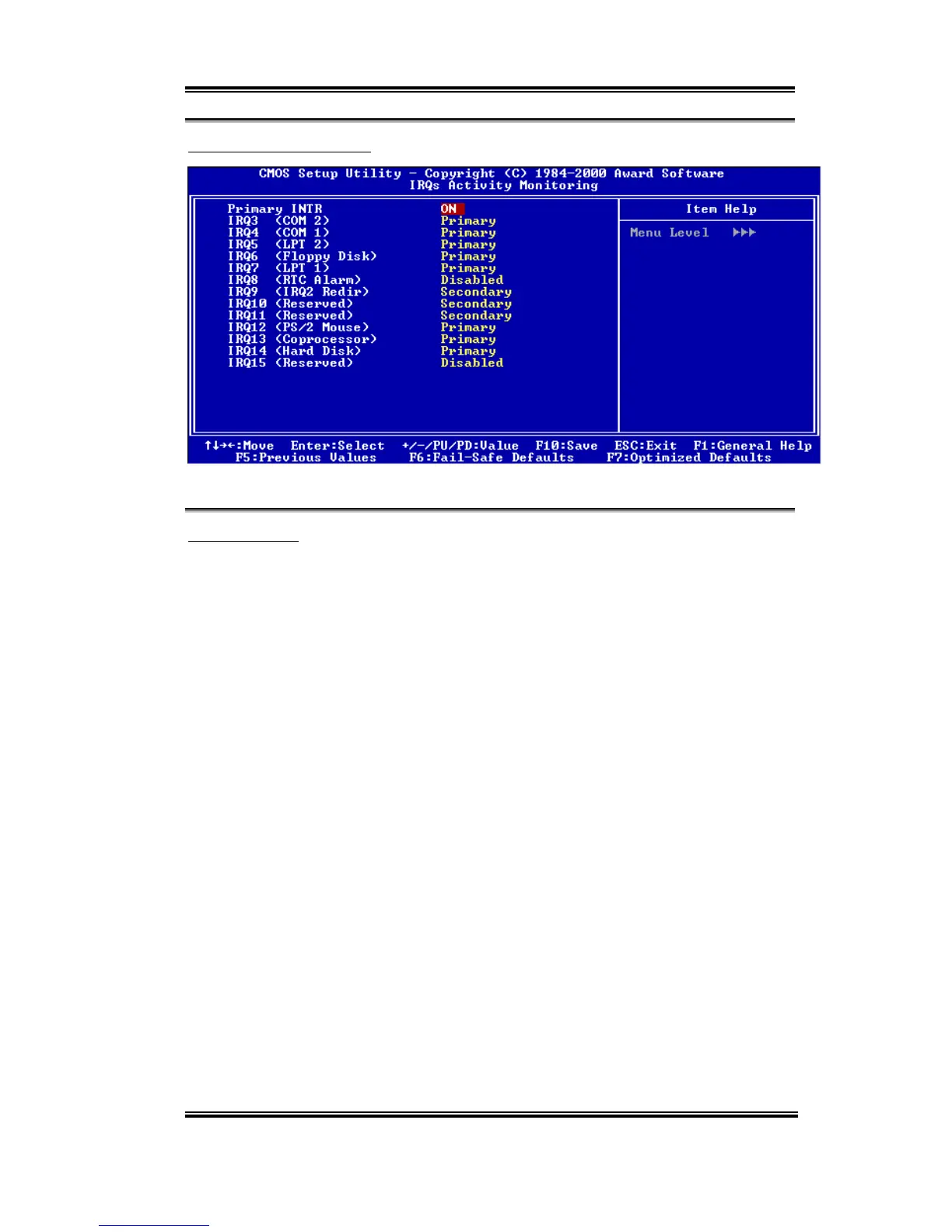
Figure 3-7D. IRQs Activity Monitoring Setup Menu
Primary INTR:
Two items available: On or Off. The default setting is
On
. When set to On, any event
occurring at below list will awaken a system which has been powered down.
The following is a list of IRQ’s,
I
nterrupt
R
e
Q
uests, which can be exempted much as the
COM ports and LPT ports above can. When an I/O device wants to gain the attention of the
operating system, it signals by causing an IRQ to occur. When the operating system is ready
to respond to the request, it interrupts itself and performs the service.
As above, the choices are On and Off.
When set On, activity will neither prevent the system from going into a power management
mode nor awaken it. Each item has three options: Primary
'
Secondary
'
Disabled.
➤
➤➤
➤
IRQ3 (COM 2 ): The default setting is
Primary
.
➤
➤➤
➤
IRQ4 (COM 1): The default setting is
Primary
.
➤
➤➤
➤
IRQ5 (LPT 2): The default setting is
Primary
.
➤
➤➤
➤
IRQ6 (Floppy Disk) : The default setting is
Primary
.
➤
➤➤
➤
IRQ7 (LPT 1): The default setting is
Primary
.
➤
➤➤
➤
IRQ8 (RTC Alarm): The default setting is
Disabled
.
➤
➤➤
➤
IRQ9 (IRQ2 Redir): The default setting is
Secondary
.
➤
➤➤
➤
IRQ10 (Reserved): The default setting is
Secondary.
➤
➤➤
➤
IRQ11 (Reserved): The default setting is
Secondary
.
➤
➤➤
➤
IRQ12 (PS/ 2 Mouse): The default setting is
Primary
.
➤
➤➤
➤
IRQ13 (Coprocessor): The default setting is
Primary
.
➤
➤➤
➤
IRQ14 (Hard Disk): The default setting is
Primary
.
➤
➤➤
➤
IRQ15 (Reserved): The default setting is
Disabled
.



 To Next Page