E-4 Appendix E
VL6
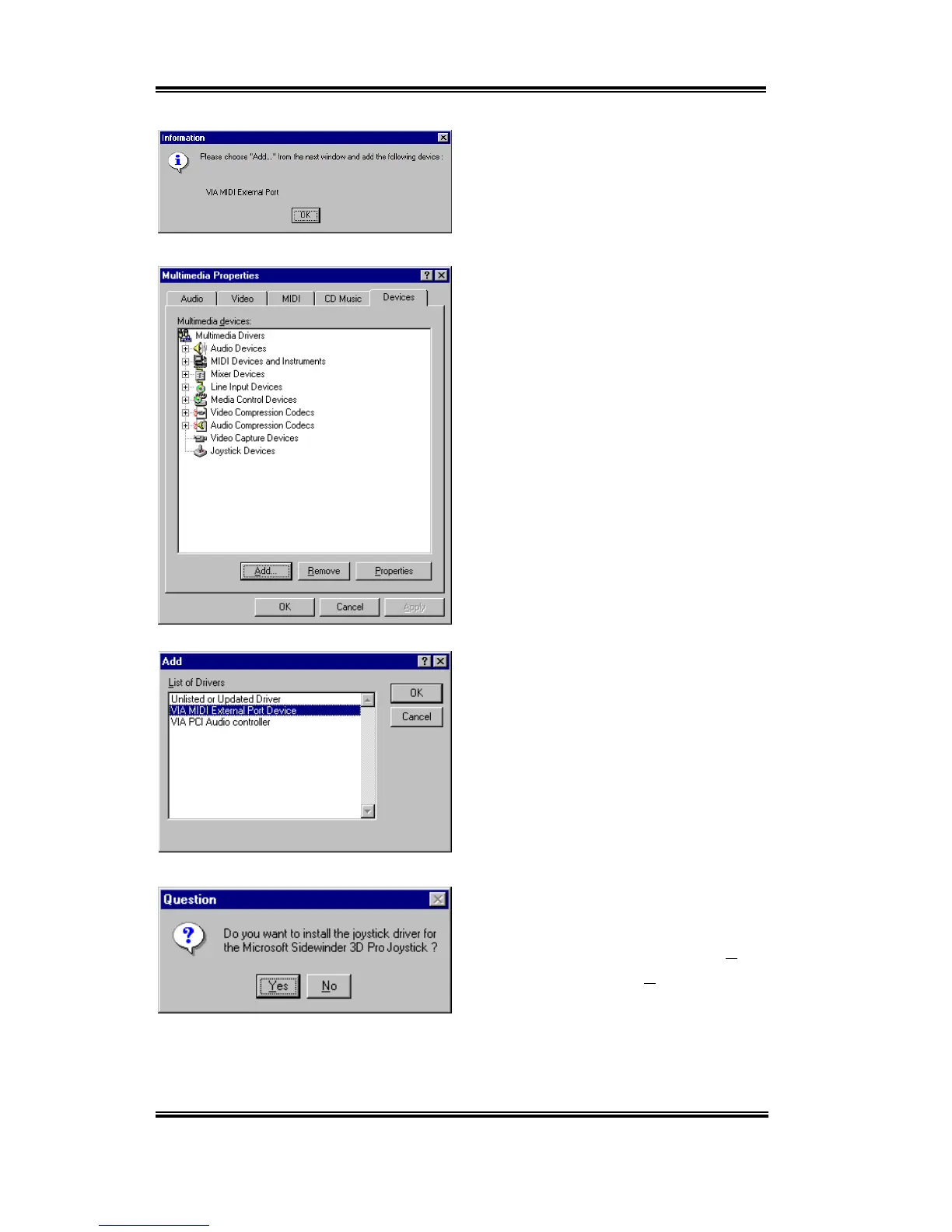
The dialogue box will show “
Please choose
“Add…” from…
”, this time will ask you to
install the “
VIA MIDI External Port
”.
Please click “
OK
” button then go on.
Choose “
Add…
” then go to next screen.
First, choose the “
VIA MIDI External Port
Device
”, then click “
OK
” button.
Program will ask if you want to install the
Microsoft sidewinder 3D pro joystick driver.
If you have this kind of joystick click “
Yes
”,
otherwise just click the “
No
” button to go
on.



 To Next Page