Installing the VIA PCI Audio Drivers for Windows
®
NT 4.0 Server / Workstation
E-5
User’s Manual
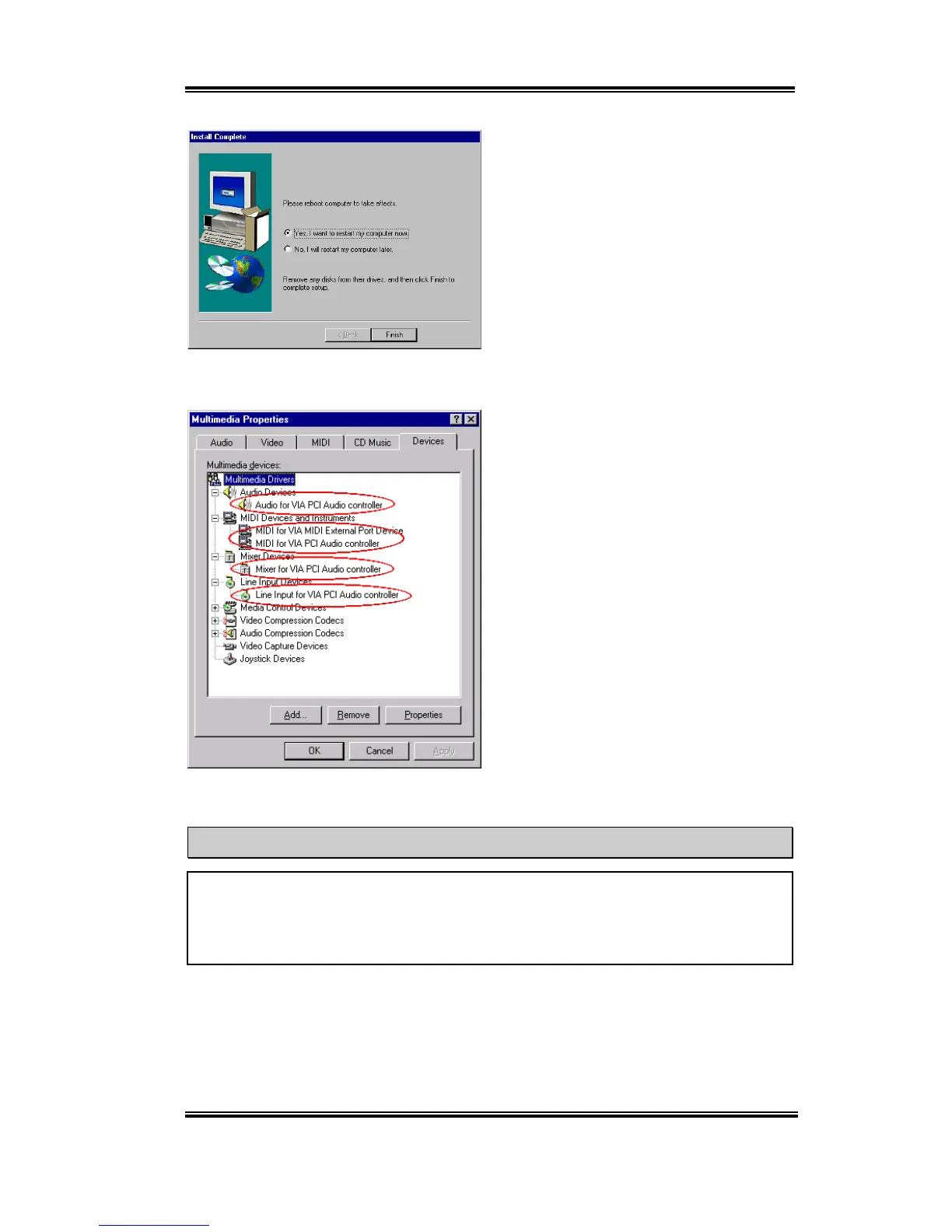
When installation is complete, the installer
will ask you to restart your computer. We
suggest that you choose “
Yes, I want to
restart my computer now
” then click
“
Finish
” button to restart your computer to
finish the driver update.
When Windows
®
NT restarts, check the
"
Multimedia Properties
". You will see the
VIA PCI Audio devices had been identify.
Note E-3
If you are using the PCI bus mastering network adapter in your system under Windows
®
NT 4.0, insert the network adapter into any PCI slot except slot 3. Otherwise, a system
conflict may occur.



 To Next Page