11
6.5 Einstellungen - CURVE:
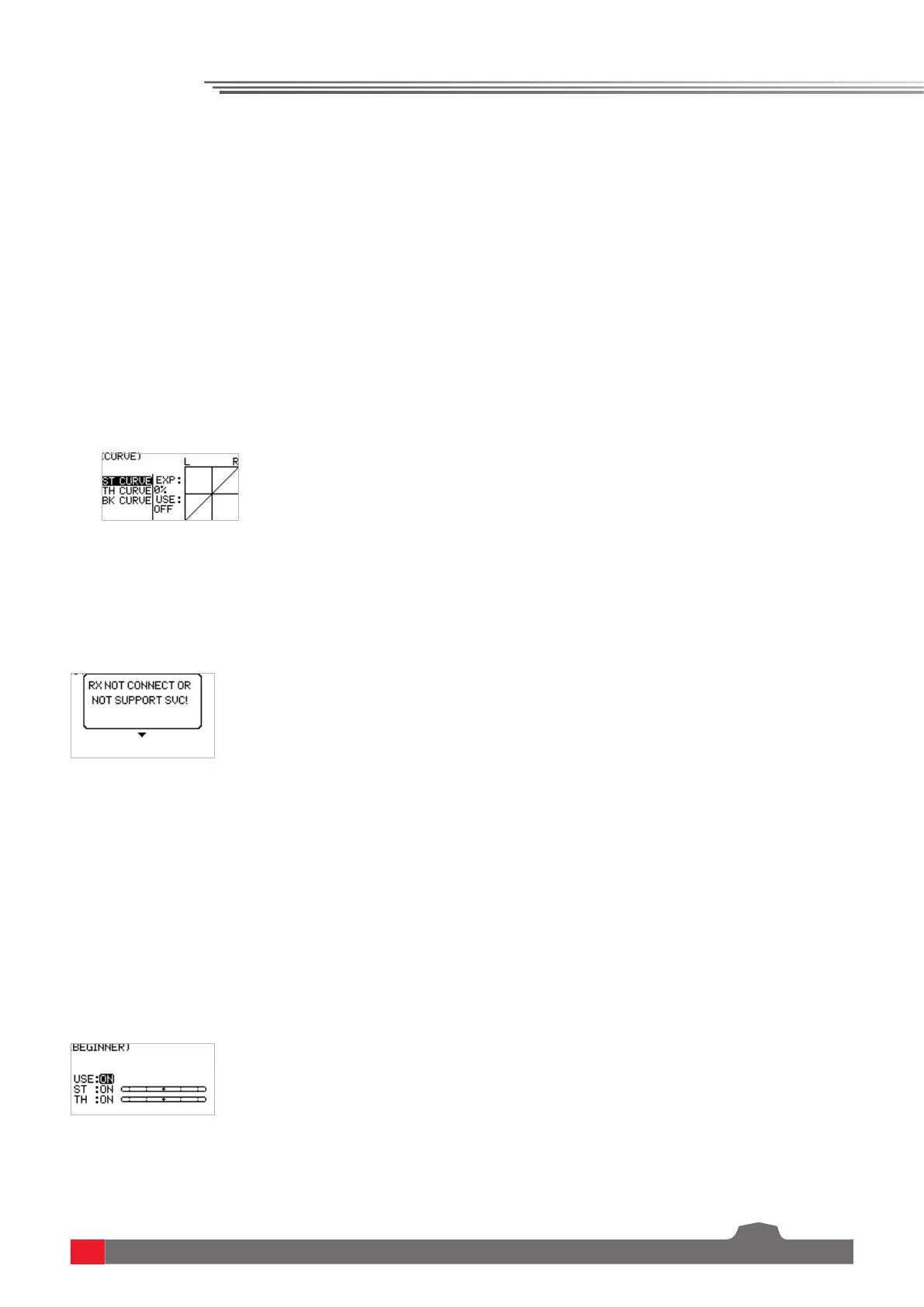
Curve function is used to set the output data curve adjustment of the direction channel channel
1, throttle channel channel 2 upper, and brake channel 2 lower channel. The range is -100 to +100.
It can change the output sensitivity of each channel. When the data is bigger, the sensitivity of the
middle position is bigger and the two end positions are smaller. It is vice versa when the data is
smaller.
Function settings:
1. In the SET menu, select the CURVE function and press the OK key.
2. Select the channel to be adjusted by pressing the UP/DOWN key. Press the OK key to enter the
edit state. Select the EXP by pressing the UP/DOWN key and press the OK key. Then press UP/
DOWN key to adjust the data. After adjustment, press the return key. If you need to enable this
function, select the application item by pressing the UP/DOWN key, and press the OK key to enter
the edit state. Press UP/DOWN key to switch on. Then press the return key.
3. Test the function to confirm that the adjusted channel output operates normally as expected.
Die Funktion Smart Vehicle Control wird verwendet, um den Empfänger mit der SVC-
Funktion zu verbinden. Der aktuelle R7FS Empfänger verfügt nicht über die SVC-Funktion.
6.6 Settings-Smart Vehicle Control (SVC):
Der Beginner-Modus ist für Neueinsteiger in das Hobby gedacht.
Nach der Aktivierung dieser Funktion für Gas und/oder Lenkung beträgt die Kanalleistung nur noch
50%.
Einstellungen der Funktion:
1. Wählen Sie im Funktionsmenü SET die BEGINNER-Funktion aus und drücken Sie die OK-Taste.
2. Wählen Sie den zu ändernden Kanal mit der UP/DOWN-Taste aus und drücken Sie auf die OK-
Taste, um in den Bearbeitungsmodus zu gelangen. Drücken Sie dann die Taste UP/DOWN für die
Einstellung und nach der Änderung die Taste BACK.
3. Testen Sie die Funktion, um sich zu vergewissern, dass die Einstellung übernommen wurde.
6.7 Einstellungen – BEGINNER (Beginner Modus)


 To Next Page