28
8) Storage settings
Schedule
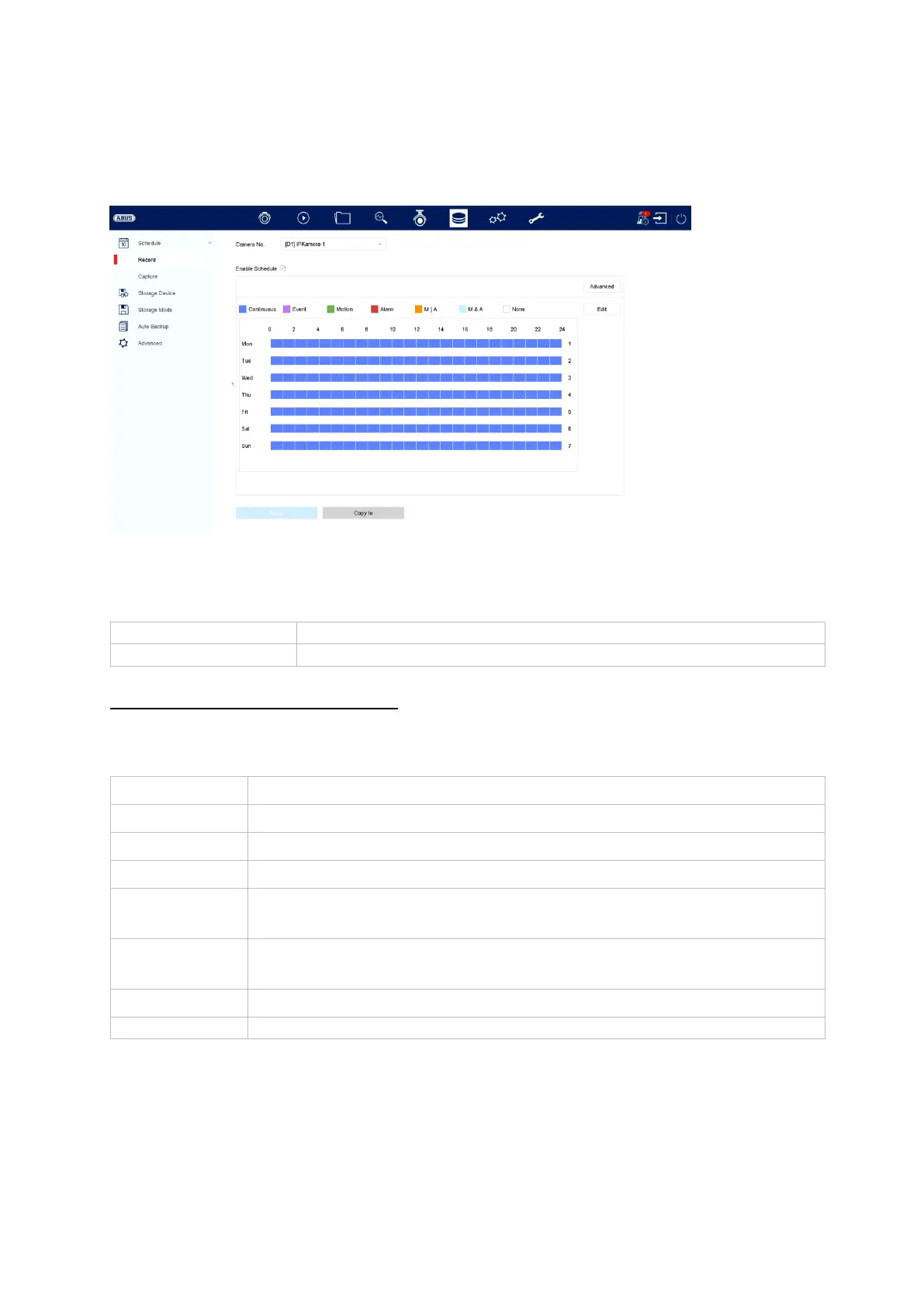
In this menu, you can define the schedule and the triggers for recording videos and
images.
Video recording (recording plan)
First, enable the schedule, click on a trigger and then click and drag in the week
calendar using the lift-hand mouse button to define the desired times.
By clicking on the “Advanced” button, you can also apply the following settings.
Here you can programme the recording of videos
Here you can programme the recording of images
Recording takes place for all types of event (motion or VCA events)
Recording takes place only for motion detection
Recording takes place only for alarm input (local/remote)
Recording takes place for motion detection or alarm input
(local/remote)
Recording takes place only for simultaneous motion detection and
alarm input
Here you can edit the settings in list form



 To Next Page