46
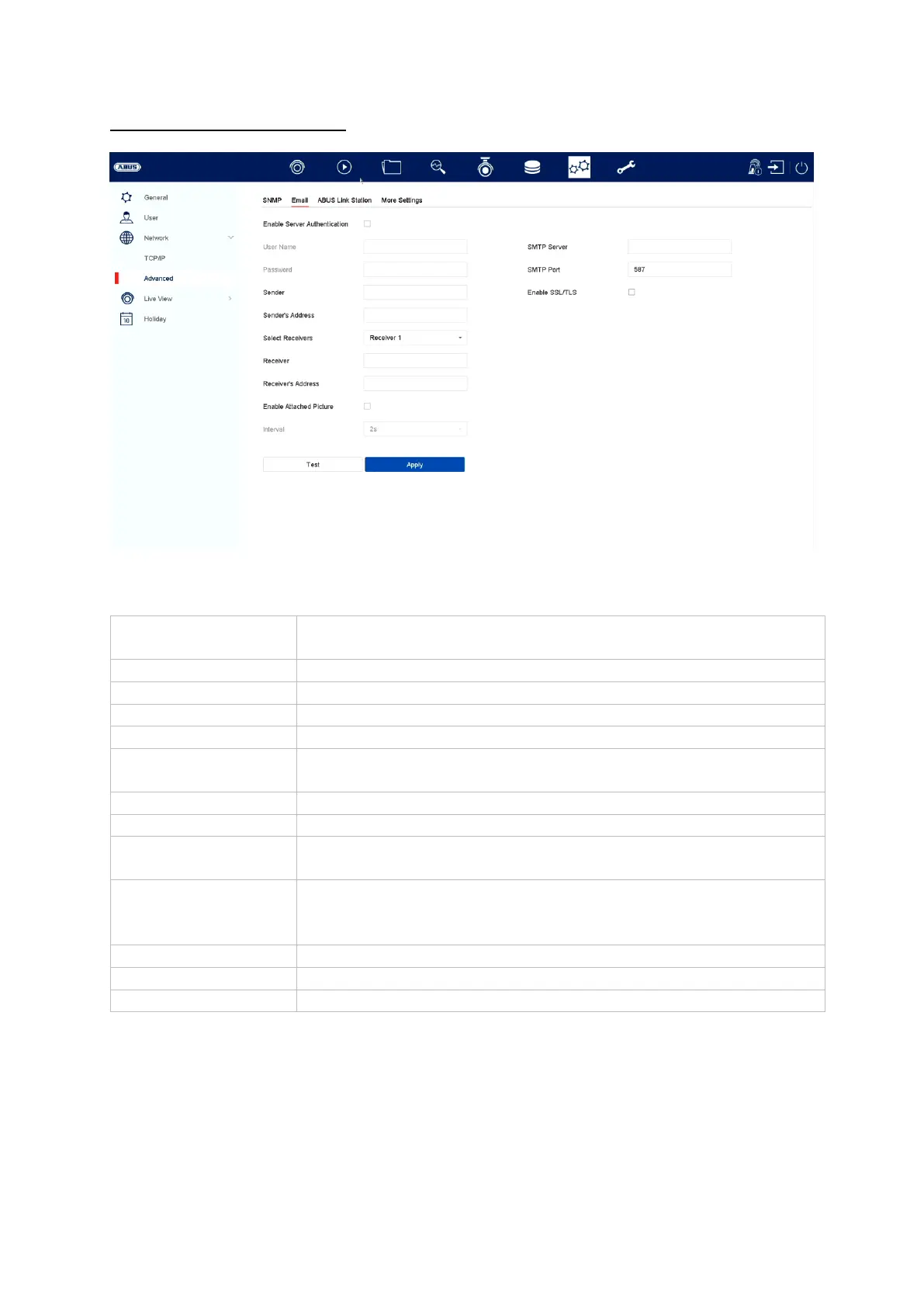
Advanced settings – Email
In the event of an alarm, the device can send a message by email. Enter the email
configuration here.
Tick the box when authentication on the server is required
Enter the user name of your email account here
Enter the password of your email account here
Enter the sender name here
Enter the email address linked to the email account here
Here you can select up to three different recipients and then
enter their email addresses
Enter the name of the recipient here
Enter the recipient’s email address here
Tick the box if camera recordings should also be sent with the
email as photo files
Select a trigger time of between two and five seconds. The
pictures will only be sent if motion is detected during the time
frame defined.
Enter the SMTP server address of the email provider here
Enter the SMTP port of the email provider here.
Tick the box to enable email encryption



 To Next Page