47
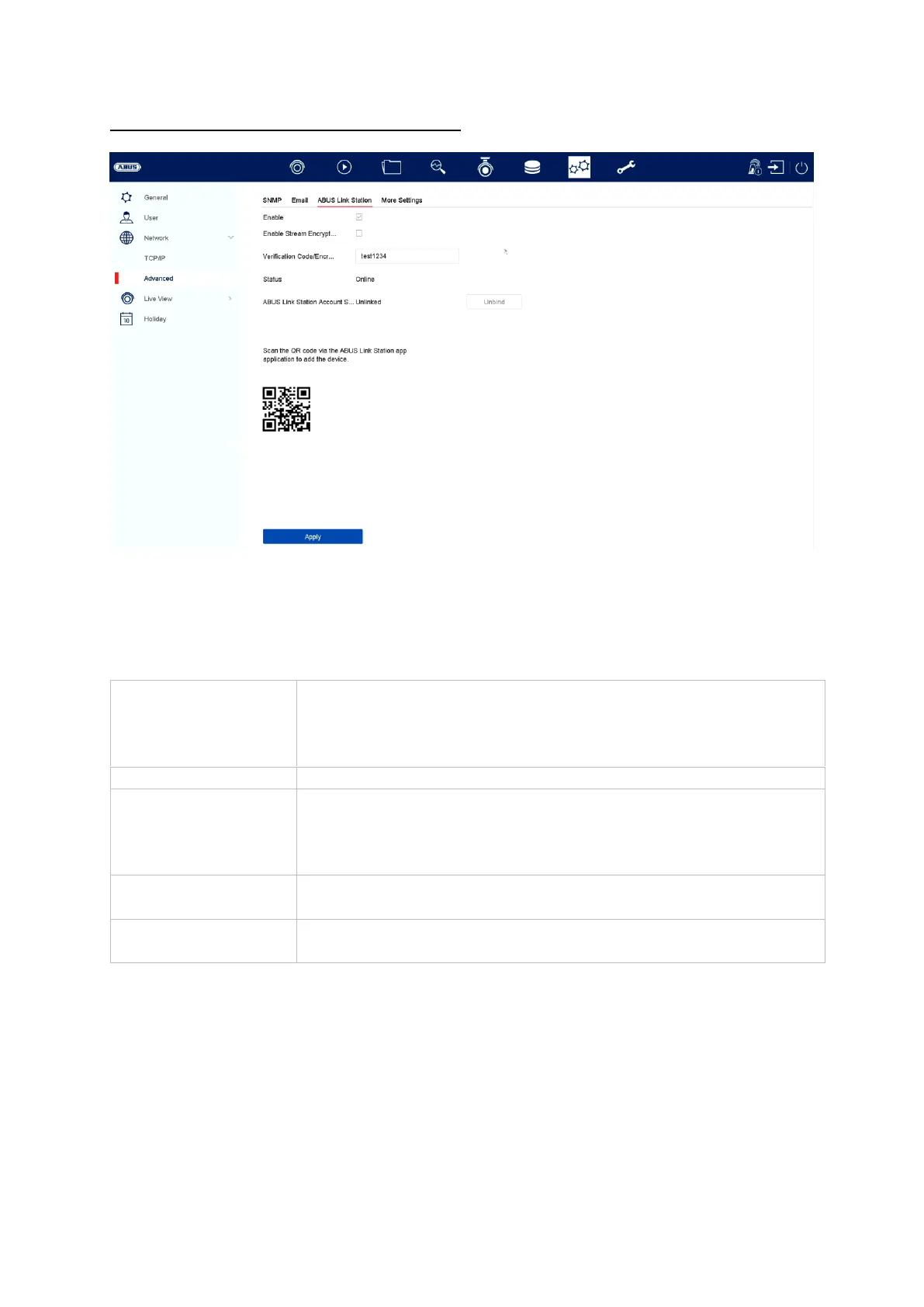
Advanced settings – ABUS Link Station
The ABUS Link Station service enables quick and easy remote access, e.g. via a
mobile end device (without port forwarding).
Note: An Internet connection is essential for using this service.
You can add devices in the “ABUS Link Station” app very easily by scanning the QR
code of the device. This QR code is included in the scope of delivery or you can use
the QR code displayed here in the menu.
Tick the box to enable this service.
After activation, a menu for entering the “Verification code”
and agreeing to the conditions of use will appear.
Here you can enable encryption of the data transmission.
You can set the verification code here. This will be requested
when establishing the connection remotely in order to prevent
access by unauthorised third parties. (If stream encryption is
enabled)
Shows whether the recorder is connected to the ABUS Link
Station service
ABUS Link Station
account status
Shows whether the recorder is connected to an ABUS Link
Station user account



 To Next Page