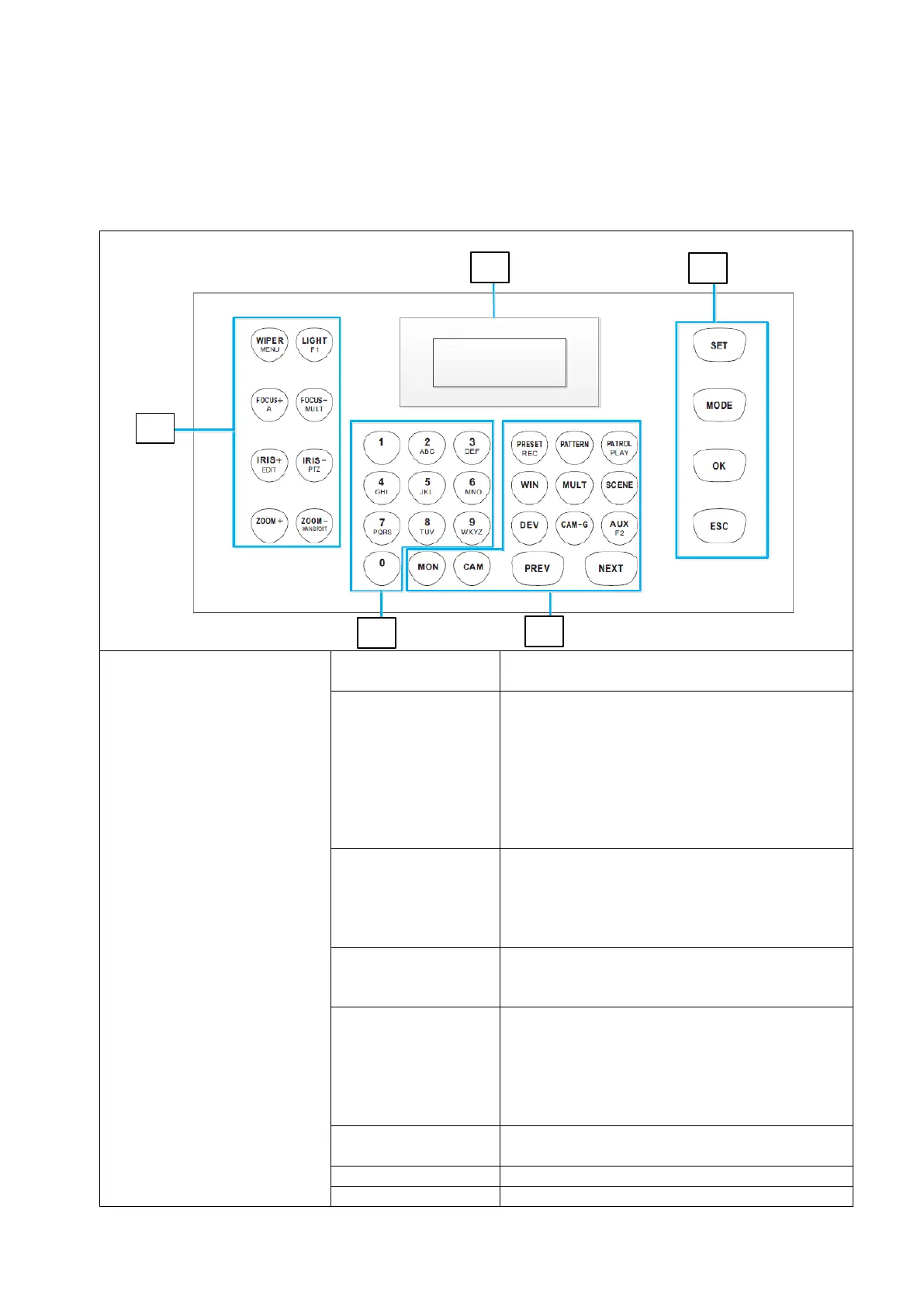
4. Operation / Configuration Local
4.1 Description of the control elements
Note: Depending on the operating modes, the buttons are assigned different actions.
Switch between menu items on the added
device
-In playback mode:
-Play the recording forward or reverse
-in preview mode:
Immediate playback is started
- Adjusting the focus
-Toggle the character input mode in edit
mode:
-numbers (123), capital letters (ABC) and
small letters (abc).
-setting the focus
-Divide the screen in Preview and Playback
mode.
-Go to edit mode.
-Delete in Edit Mode
-character before the cursor.
Select the checkboxes.
Switch to PTZ mode in Preview mode.



 To Next Page