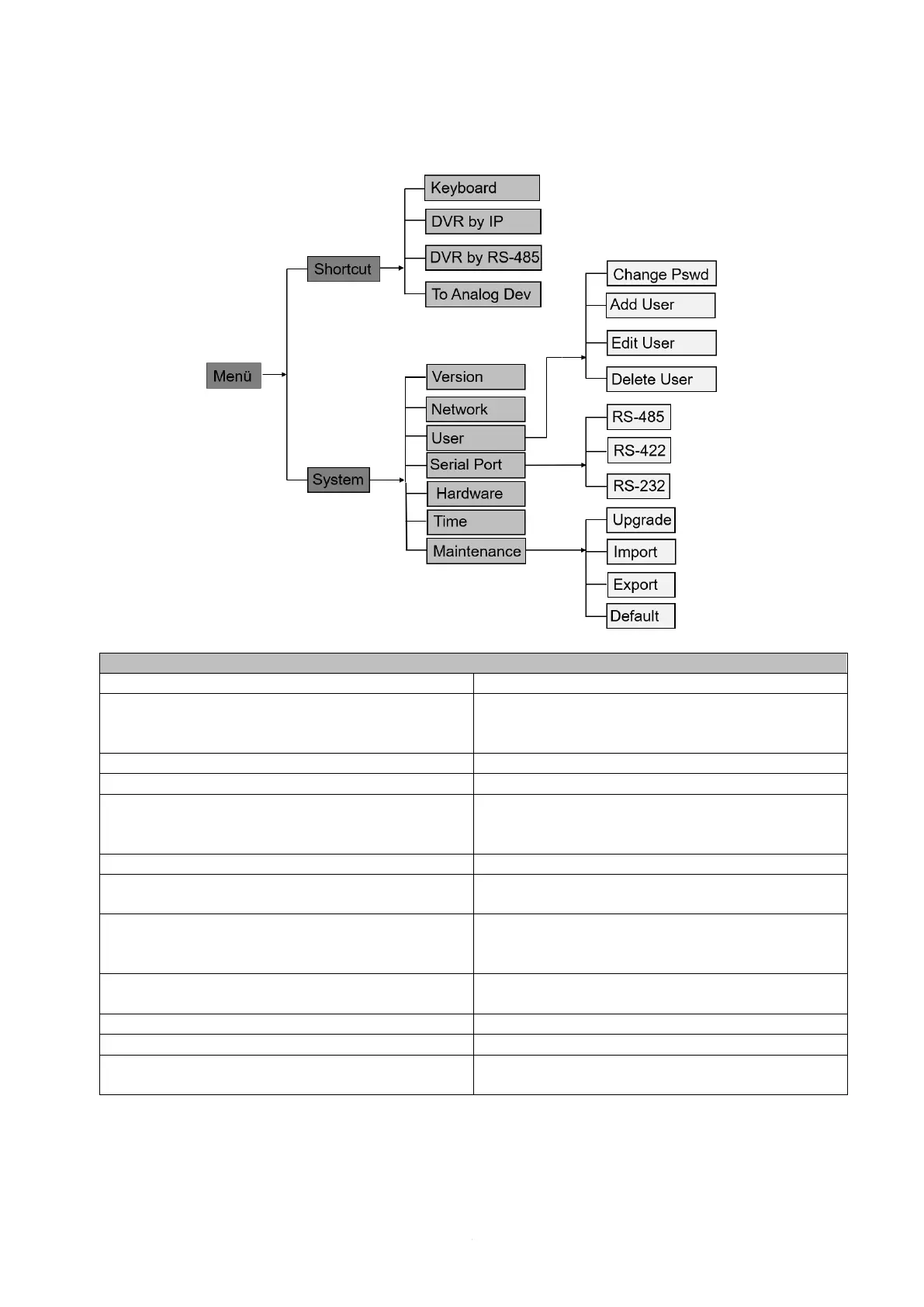
4.2 Description of the local menu
Shows the firmware and panel version
Here you can switch DHCP on/off. If DHCP is
off you can assign an IP address and a
gateway. Default: "on"
Here you can create different users
Here you can edit the serial port settings
Here you can make user-defined settings for
each address bit (camera ID) e.g: Build Rate,
Data Bit, Stop Bit, Party, Protocol
Here you can set the system time of the control
panel
Here you can update the control panel, import
or export settings, and reset everything to
factory settings
Here you can perform an update via the USB
port
Here you can import settings via the USB port
Here you can export your settings
Here you can reset the control panel to factory
settings



 To Next Page