EasyManua.ls Logo

Abus TVVR33602 - Display Menu; Playback View

Abus TVVR33602
Print Icon
To Next Page IconTo Next Page
To Previous Page IconTo Previous Page
Loading...
13
6.4 Display menu
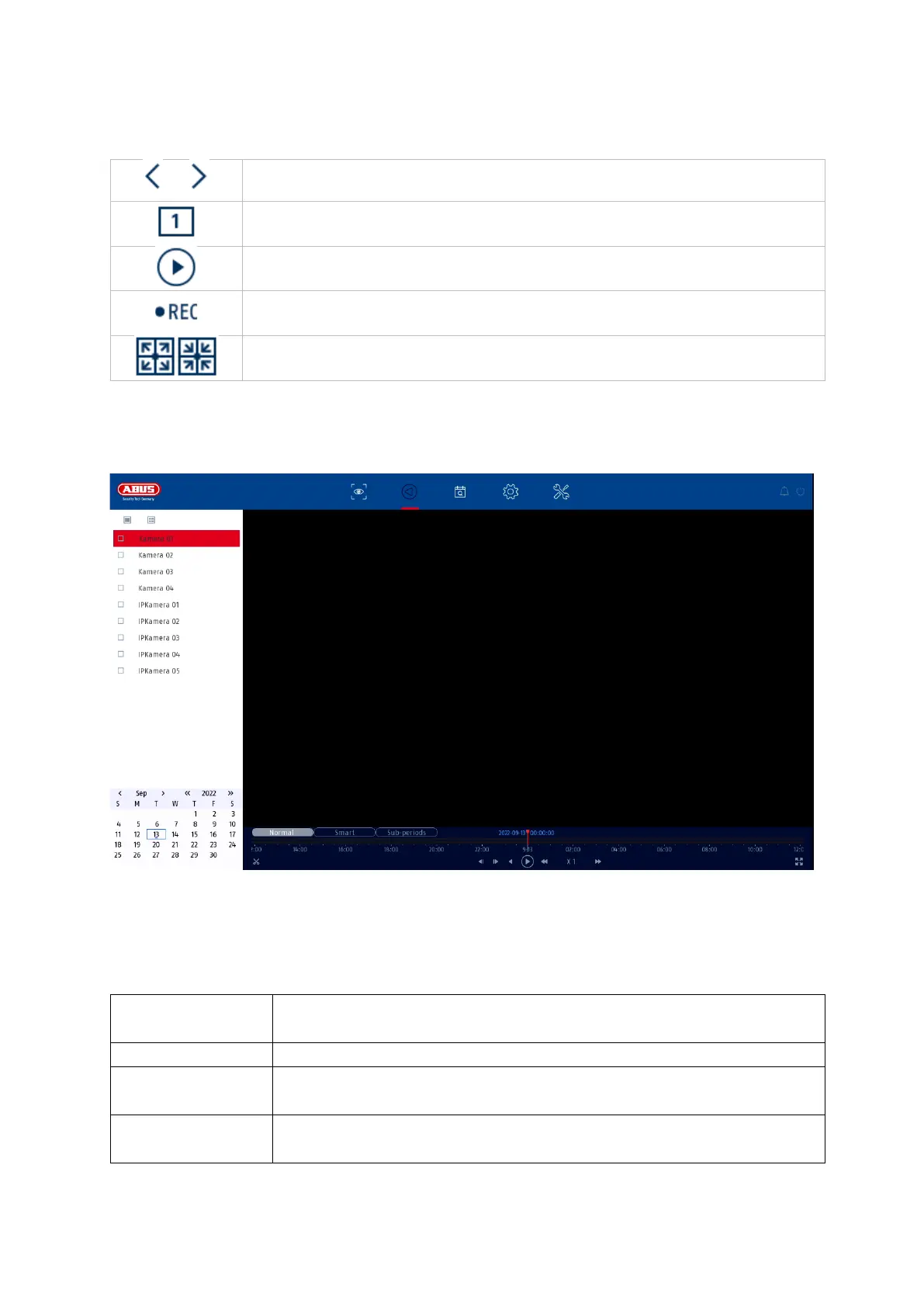
7. Playback view
Playback allows the recorded video data from cameras to be played back on the
recorder.
The playback view is divided into the following functional areas:
1/1
Switches between view pages
Opens the selection of camera layouts
Starts / ends the sequence display
Starts / stops the recording of all cameras
Opens and closes the full screen view
Camera
selection
Selection of cameras to be played back.
Calendar
Selection of the date of the recorded data.
Camera
command
Selection of camera commands and actions of the selected
camera.
Playback
control
Control and interaction during playback.

Table of Contents

Related product manuals