17
9. System settings
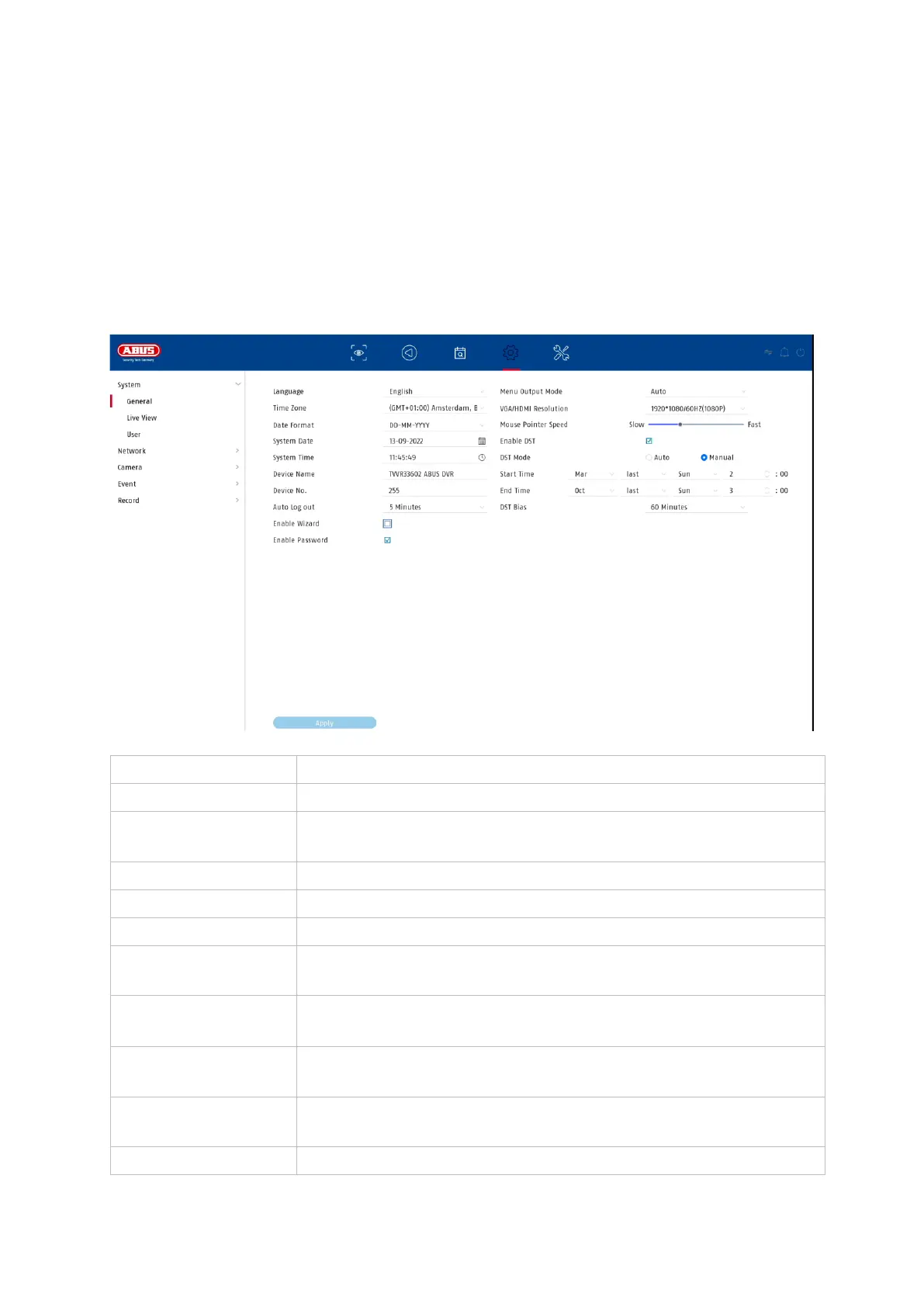
All basic unit settings are managed in the "System" menu.
Caution: Make sure that the date and time have been set correctly.
Subsequent changes can lead to data loss! Make sure you back up your data in good
time.
9.1.1. System / General
Select the menu language to be displayed
Select the time zone you are in
Select how the date is to be displayed:
MM-DD-YY, DD-MM-YY, YYYY-MM-DD
Here you can assign a name/designation for the recorder.
Serves to uniquely identify the recorder when using a control
panel.
Sliding bar, low speed on the left, high speed on the right
Select after how long the menu is automatically closed:
Never / 1 ... 30 minutes
Select the monitor output for displaying the menu. If set to
Auto, the output is determined by the recorder.
Select whether the wizard should appear at system start-up.



 To Next Page