32
9.5. Recording
9.5.1. Timetable
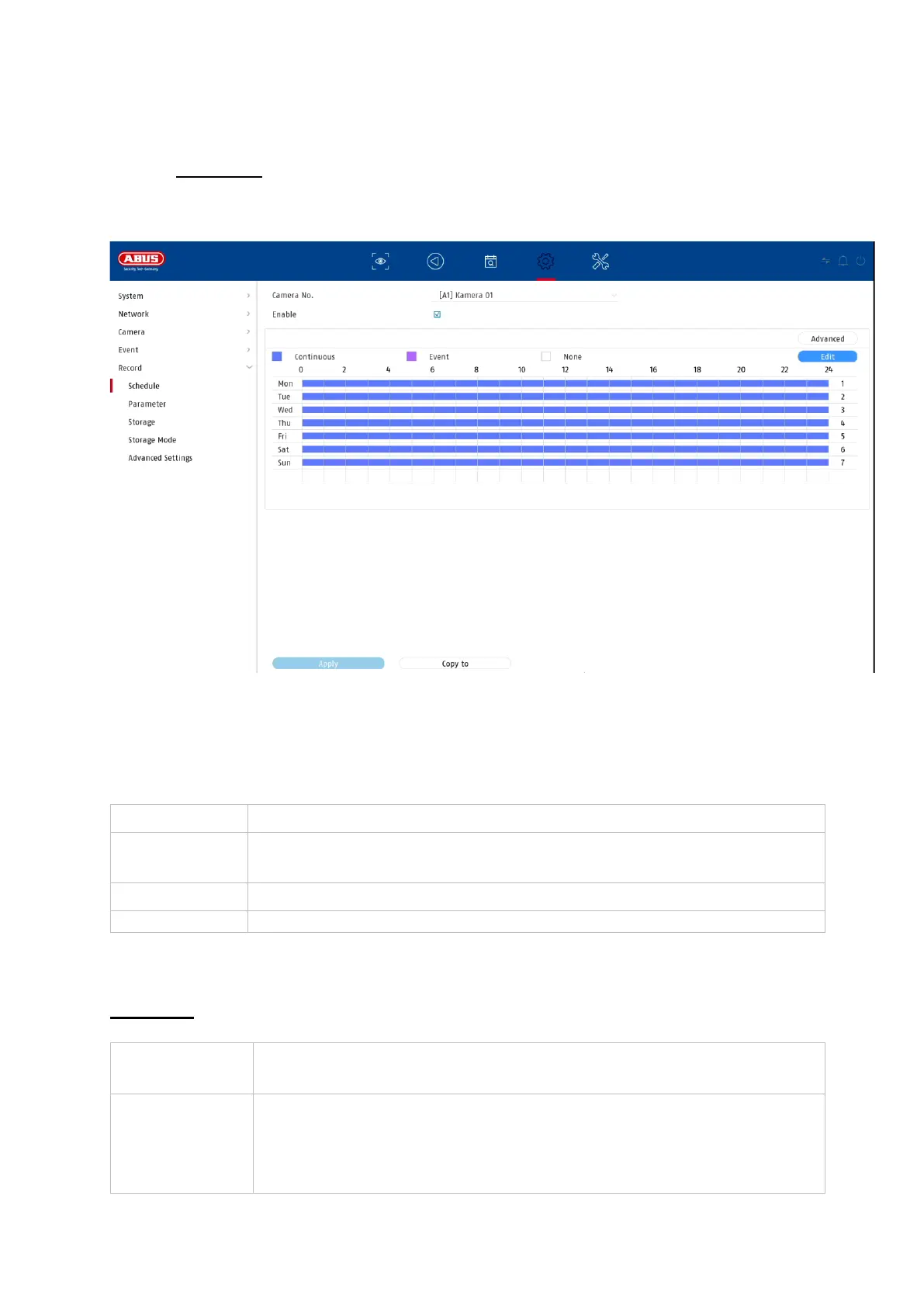
In this menu you define the schedule and triggers for recording videos or pictures.
First activate the schedule, click on a trigger and then drag in the weekly calendar
with the left mouse button pressed to define the desired times.
By clicking on the button "Advanced" the following settings can be made.
Extended
For each type of event (motion or VCA events), the following is
recorded
Here you can edit the settings in list form
Activates audio recording (provided the camera delivers an audio
signal and the stream is switched to "Video & Audio")
Here you activate the pre-alarm recording
Note: Depending on the system configuration and the number of
cameras, a storage time of up to 10 seconds can be achieved.



 To Next Page