81
POWERING AND SETUP
STEP 4
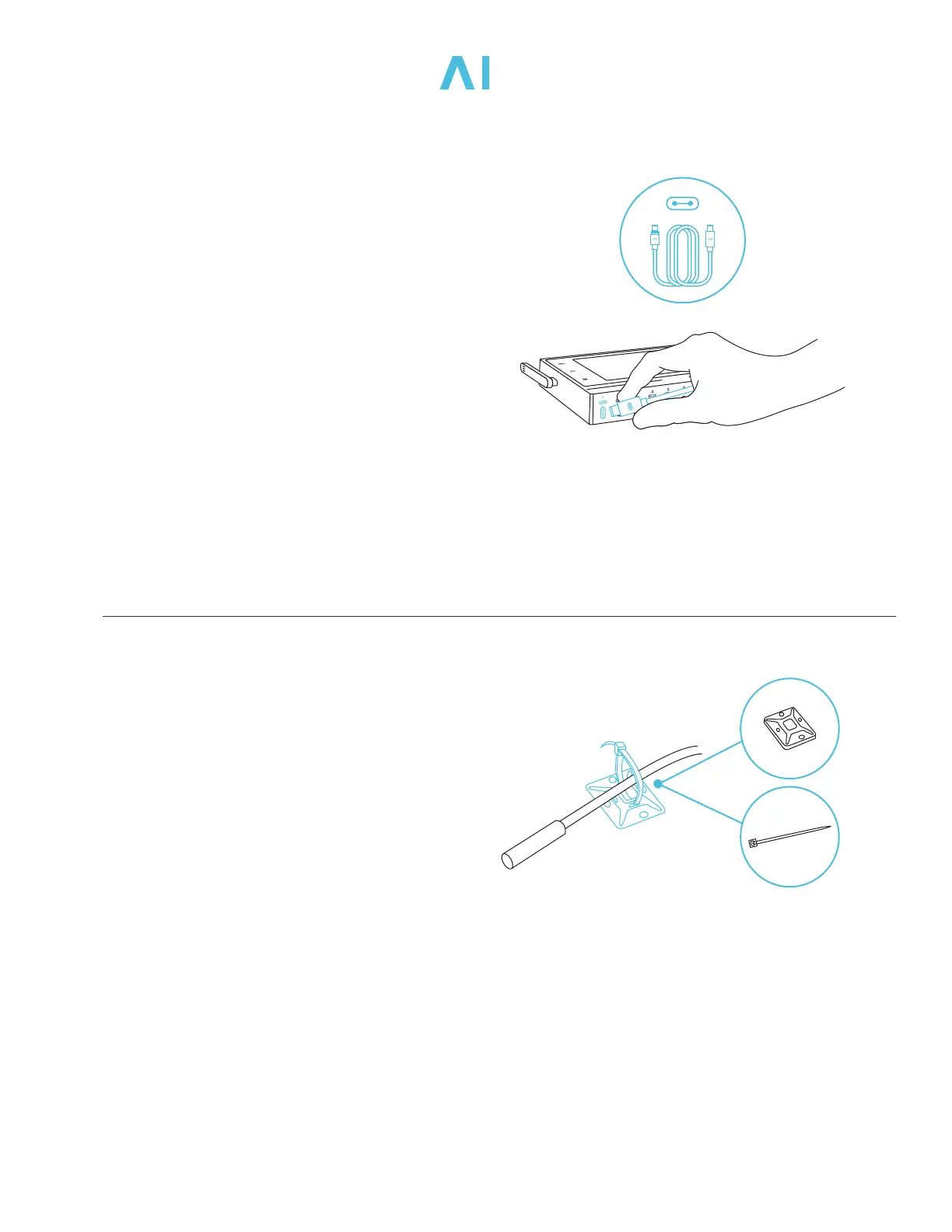
You may use the included tie mounts,
wood screws, and wire ties to manage
the cords.
Secure the tie mounts onto a surface
using the wood screws. Loop the wire
ties around the cords into the tie mounts.
STEP 3
Use the included UIS M-M extension cord
to connect your device’s UIS connector
into one of the controller’s ports. Plug the
device’s power cord into an AC power outlet
to power it.
Plug the UIS connector with the gasket end
into your grow device and the other end
into your controller. The gasket is specially
designed to protect against liquids and dust.
CONTROLLER +



 To Next Page