EasyManua.ls Logo

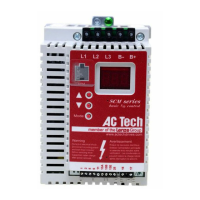
AC Tech SM005S - User Manual

AC Tech SM005S
52 pages
Print Icon
To Next Page IconTo Next Page
Loading...
Installation and Operation Manual
SCL/SCM Series
Phone: 800.894.0412 - Fax: 888.723.4773 - Web: www.clrwtr.com - Email: info@clrwtr.com

Questions and Answers

AC Tech SM005S Specifications

General IconGeneral
BrandAC Tech
ModelSM005S
CategoryDC Drives
LanguageEnglish

Summary

Safety Information

Signal Word Definitions

Explains safety icons and severity levels (DANGER, WARNING, STOP, Note) used in the manual.

GENERAL

General Safety Precautions

Highlights risks of live parts, improper use, and the need for qualified personnel.

INSTALLATION

INPUT AC POWER REQUIREMENTS

Input Voltage Ratings

Specifies acceptable input voltage ranges and tolerances for different drive models.

Input Fusing Requirements

Recommends circuit breakers and fuses based on NEC and local electrical codes.

POWER WIRING

Input and Output Wiring Procedures

Details connecting input power and output motor wires, including conduit separation.

SCL;SCM POWER WIRING DIAGRAM

CONTROL WIRING

SCL;SCM CONTROL WIRING DIAGRAMS

INITIAL POWER UP AND MOTOR ROTATION

First-Time Power-Up and Motor Rotation Check

Guides for initial energization, checking motor rotation direction, and parameter defaults.

PROGRAMMING THE SCL;SCM DRIVE

Programming via Drive Buttons and Display

Explains using the keypad to enter PROGRAM mode and set parameters after password entry.

DESCRIPTION OF PARAMETERS

Basic Setup and Operation Parameters

Covers voltage selection, carrier frequency, start/stop methods, units, and rotation direction.

Speed Control and Reference Parameters

Details speed sources, acceleration/deceleration times, frequency limits, and preset speeds.

Protection, Faults, and Monitoring Parameters

Covers current limit, motor overload, program selection, and fault history monitoring.

TROUBLESHOOTING

Accessing Fault History and Parameters

Guide to accessing troubleshooting parameters (50-60) without password entry.

Fault Messages and Possible Causes

Lists common drive faults (e.g., AF, LF, PF) and their likely causes for diagnosis.

SCL;SCM DISPLAY MESSAGES

Related product manuals