EasyManua.ls Logo

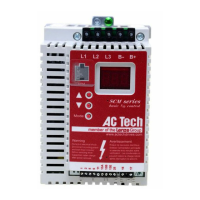
AC Tech SM010S - User Manual

AC Tech SM010S
52 pages
Print Icon
To Next Page IconTo Next Page
Loading...
Installation and Operation Manual
SCL/SCM Series
Phone: 800.894.0412 - Fax: 888.723.4773 - Web: www.clrwtr.com - Email: info@clrwtr.com

Questions and Answers

AC Tech SM010S Specifications

General IconGeneral
BrandAC Tech
ModelSM010S
CategoryDC Drives
LanguageEnglish

Summary

General Information

Safety Information

Hazards of live parts, sensitive components, and need for qualified personnel.

Installation Guidelines

Input AC Power Requirements

Input Voltage Ratings

Details input voltage ranges and tolerances for different series.

Input Fusing Requirements

Specifies required circuit breakers or fuses for safe operation.

Input Wire Size Requirements

Provides required wire gauges (AWG, mm²) for different models.

Power Wiring

Input and Output Wiring

Guidelines for connecting input power and output motor wires, avoiding internal contactors.

Control Wiring

Speed Reference Signals

Drive supports speed references via speed pot, 0-10 VDC, and 4-20 mA signals.

Speed Reference Selection

How to select speed references using terminals and parameters.

Initial Power Up and Motor Rotation

Programming the Drive

Parameter Descriptions

P01 Line Voltage Selection

Calibrates drive for applied input voltage (HIGH/LOW).

P03 Start Method

Defines how the drive starts (normal, power up, DC brake, flying restart).

P04 Stop Method

Defines how the drive stops (coast, DC brake, ramp).

P05 Standard Speed Source

Selects speed reference source when in standard mode.

P25 Current Limit

Sets maximum allowable output current of the drive.

P26 Motor Overload

Drive provides solid-state motor overload protection.

P48 Program Selection

Selects operation mode (user/OEM) and resets parameters to defaults.

Troubleshooting

Fault Messages

Related product manuals