EasyManua.ls Logo

AC Tech SM405 - User Manual

AC Tech SM405
52 pages
Print Icon
To Next Page IconTo Next Page
Loading...
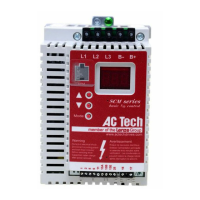
Installation and Operation Manual
SCL/SCM Series
Phone: 800.894.0412 - Fax: 888.723.4773 - Web: www.clrwtr.com - Email: info@clrwtr.com

Questions and Answers

AC Tech SM405 Specifications

General IconGeneral
BrandAC Tech
ModelSM405
CategoryDC Drives
LanguageEnglish

Summary

Safety Information and Warnings

Signal Word and Icon Definitions

Defines signal words and icons used for safety warnings and precautions.

General Product Information

Safety Precautions for Operation

Highlights risks from unauthorized access and the necessity of qualified personnel for operation.

Installation Guidelines and Precautions

Handling, Static Control, and Environment

Advises on proper handling, static precautions, and environmental conditions for drive installation.

Installation Procedures

Storage and Capacitor Reformation

Details procedures to reform DC bus capacitors after extended periods of inactivity or storage.

Input AC Power Requirements

Input Voltage Specifications and Tolerances

Details input voltage ratings, tolerances, and required circuit capacity.

Input Fusing and Breaker Ratings

Provides tables for recommended input fusing and circuit breaker ratings.

Power Wiring Instructions

Input and Output Wiring Connections

Instructions for connecting input and output power wiring to the drive safely and correctly.

SCL;SCM Power Wiring Diagrams

Single and Three-Phase Wiring Schematics

Illustrates power wiring configurations for single and three-phase SCL/SCM models.

Control Wiring Best Practices

Control Wiring Diagrams

Terminal Strip Layout and Functionality

Details the SCL/SCM control terminal strip and function assignments for wiring.

Initial Power Up and Motor Rotation Check

Programming the SCL;SCM Drive

Keypad Programming Interface

Explains accessing and navigating the drive's parameter menu using buttons.

Setting Parameter Values and Units

Details changing parameter values and their units of measurement.

Parameter Descriptions

Program Selection and Reset Options

Explains selecting operating modes (User/OEM) and resetting parameters.

Troubleshooting Guide

Accessing Fault History for Diagnosis

Guide to accessing parameters 50-60 for troubleshooting fault conditions.

Fault Messages and Possible Causes

Lists common fault messages, their descriptions, and possible causes.

Drive Display Messages and Status

Related product manuals