EasyManua.ls Logo

AC Tech SM205 - User Manual

AC Tech SM205
52 pages
Print Icon
To Next Page IconTo Next Page
Loading...
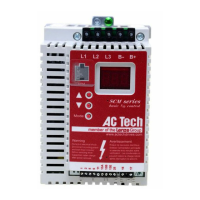
Installation and Operation Manual
SCL/SCM Series
Phone: 800.894.0412 - Fax: 888.723.4773 - Web: www.clrwtr.com - Email: info@clrwtr.com

Questions and Answers

  • J
    Jennifer BarrAug 13, 2025
    Why am I getting a High DC Bus Voltage Fault on my AC Tech SM205 DC Drives?
    • Z
      zachary00Aug 13, 2025
      A high DC bus voltage fault in AC Tech DC Drives can occur due to several reasons: the line voltage might be too high, the deceleration rate might be too fast, or there could be an overhauling load. For fast deceleration or overhauling loads, dynamic braking may be required.
  • M
    Matthew JamesAug 17, 2025
    What to do if AC Tech DC Drives show Incompatibility Fault?
    • T
      Tamara AlvarezAug 18, 2025
      If you're encountering an Incompatibility Fault with your AC Tech DC Drives, it means an EPM with an incompatible parameter version has been installed. You can either remove the EPM or perform a factory reset using Parameter 48 to change the parameter version of the EPM to match that of the drive.
  • R
    Richard SteeleAug 21, 2025
    How to resolve Control Fault on AC Tech SM205 DC Drives?
    • J
      Jason TorresAug 21, 2025
      A Control Fault in AC Tech DC Drives means that a blank EPM or an EPM with corrupted data has been installed. To resolve this, perform a factory reset using Parameter 48 - PROGRAM SELECTION.
  • S
    savannah34Aug 25, 2025
    What does External Fault mean on AC Tech SM205 DC Drives?
    • M
      Melissa BarrettAug 26, 2025
      An External Fault in AC Tech DC Drives is triggered when one of the TB-13 terminals is set as an External Fault input and that terminal is open with respect to TB-11. Refer to Parameters 10, 11, and 12.
  • W
    Wendy GarciaAug 28, 2025
    Why AC Tech DC Drives show Start Fault?
    • C
      Christine BurchAug 29, 2025
      A Start Fault in AC Tech DC Drives occurs when a start command was present when the drive was powered up. If START METHOD is set to NORMAL, you must wait 2 seconds after power-up to apply the Start command.
  • K
    Kevin NavarroSep 1, 2025
    What causes Low DC Bus Voltage Fault in AC Tech DC Drives?
    • J
      janetpenaSep 1, 2025
      A Low DC Bus Voltage Fault in AC Tech DC Drives indicates that the line voltage is too low.
  • J
    James YoungSep 5, 2025
    What does Dynamic Braking Fault mean in AC Tech SM205?
    • M
      Michaela YorkSep 5, 2025
      A Dynamic Braking Fault in AC Tech DC Drives means that the drive has detected that the dynamic braking resistors are overheating.
  • K
    Kristin DavisSep 9, 2025
    What does Data Fault mean in AC Tech DC Drives?
    • S
      susan12Sep 9, 2025
      A Data Fault in AC Tech DC Drives means that user data and OEM defaults in the EPM are corrupted.

Summary

Safety Information

Signal Word and Icon Descriptions

Explains safety signal words and their associated icons.

General Information

General Safety Precautions

Outlines crucial safety measures for handling AC controllers.

Installation Guidelines

Electrical Connection Requirements

Procedures and regulations for safe electrical hookups.

Application and Usage Restrictions

Defines the intended applications and limitations of the drive.

SCL;SCM Specifications

SCL;SCM Ratings

Installation Procedures

Input AC Power Requirements

Input Voltage Ratings

Details acceptable input voltage ranges for different drive series.

Input Fusing Requirements

Input Wire Size Requirements

EMC Installation Requirements

Power Wiring

Input and Output Wiring

Details on wiring input power and motor output connections.

SCL;SCM Power Wiring Diagram

Control Wiring

Speed Reference Selection Methods

Drive Status Digital Outputs

Control Wiring Diagrams

Two-Wire Start;Stop Control

Three-Wire Start;Stop Control

Preset Speeds & Speed Pot Control

Initial Power Up and Motor Rotation Check

Programming the SCL;SCM Drive

Setting Values in Tenths of Units

Electronic Programming Module (EPM)

Parameter Menu Overview

Parameter Descriptions

P04 Stop Method

P05 Standard Speed Source

P06 Relay Output Configuration

P10 TB-13 A Function Select

P11 TB-13 B Function Select

P12 TB-13 E Function Select

P14 Control Source Selection

P17 Rotation Direction

P19 Acceleration Time

P20 Deceleration Time

P21 DC Brake Time

P25 Current Limit

P26 Motor Overload Protection

P27 Base Frequency

P31-P37 Preset Speed Activation

P38 Skip Bandwidth for Resonance Avoidance

P42 Accel;Decel #2 Settings

P44 Password Protection

P47 Clear Fault History

P48 Program Selection and Reset

P50 Fault History Log

Troubleshooting Guide

Fault Messages and Causes

Lists fault codes, descriptions, and possible causes.

SCL;SCM Display Messages

Status and Warning Message Displays

AC Tech SM205 Specifications

General IconGeneral
ModelSM205
CategoryDC Drives
Input Voltage115/230V AC
Output Voltage0-180V DC
Output Current5 Amps DC
Communication InterfaceNone (Analog adjustments)
Protection FeaturesOvercurrent, Overvoltage, Overtemperature

Related product manuals