EasyManua.ls Logo

AC Tech SM215S - User Manual

AC Tech SM215S
52 pages
Print Icon
To Next Page IconTo Next Page
Loading...
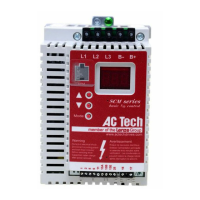
Installation and Operation Manual
SCL/SCM Series
Phone: 800.894.0412 - Fax: 888.723.4773 - Web: www.clrwtr.com - Email: info@clrwtr.com

Questions and Answers

  • L
    Linda ChristianAug 14, 2025
    Why am I getting a High DC Bus Voltage Fault on my AC Tech SM215S DC Drives?
    • S
      Steven BullockAug 14, 2025
      A high DC bus voltage fault in AC Tech DC Drives can occur due to several reasons: the line voltage might be too high, the deceleration rate might be too fast, or there could be an overhauling load. For fast deceleration or overhauling loads, dynamic braking may be required.
  • M
    Mary HicksAug 17, 2025
    What to do if AC Tech SM215S show Incompatibility Fault?
    • T
      Thomas SimmonsAug 17, 2025
      If you're encountering an Incompatibility Fault with your AC Tech DC Drives, it means an EPM with an incompatible parameter version has been installed. You can either remove the EPM or perform a factory reset using Parameter 48 to change the parameter version of the EPM to match that of the drive.
  • G
    Gary PaceAug 21, 2025
    How to resolve Control Fault on AC Tech DC Drives?
    • K
      Katie PerkinsAug 21, 2025
      A Control Fault in AC Tech DC Drives means that a blank EPM or an EPM with corrupted data has been installed. To resolve this, perform a factory reset using Parameter 48 - PROGRAM SELECTION.
  • V
    Victoria SchmittAug 25, 2025
    What does External Fault mean on AC Tech SM215S?
    • M
      Michael NormanAug 26, 2025
      An External Fault in AC Tech DC Drives is triggered when one of the TB-13 terminals is set as an External Fault input and that terminal is open with respect to TB-11. Refer to Parameters 10, 11, and 12.
  • M
    Mrs. Adrienne RobinsonAug 28, 2025
    Why AC Tech SM215S DC Drives show Start Fault?
    • D
      Dawn WhiteAug 28, 2025
      A Start Fault in AC Tech DC Drives occurs when a start command was present when the drive was powered up. If START METHOD is set to NORMAL, you must wait 2 seconds after power-up to apply the Start command.
  • G
    George WashingtonSep 1, 2025
    What causes Low DC Bus Voltage Fault in AC Tech DC Drives?
    • M
      Miranda HooverSep 1, 2025
      A Low DC Bus Voltage Fault in AC Tech DC Drives indicates that the line voltage is too low.
  • A
    Audrey BrewerSep 5, 2025
    What does Dynamic Braking Fault mean in AC Tech SM215S DC Drives?
    • C
      Charlene DavisSep 5, 2025
      A Dynamic Braking Fault in AC Tech DC Drives means that the drive has detected that the dynamic braking resistors are overheating.
  • L
    Linda JonesSep 8, 2025
    What does Data Fault mean in AC Tech SM215S DC Drives?
    • S
      Sheila StevensSep 9, 2025
      A Data Fault in AC Tech DC Drives means that user data and OEM defaults in the EPM are corrupted.

Summary

General Information

Products, Changes, Warranty, Receiving

Covers drive models, product changes, warranty, and receiving inspection.

Safety and Modification Policies

General safety precautions and customer modification policy.

Installation and Wiring

General Installation Guidelines

Includes handling, ESD, spacing, UL approval, compliance, electrical, and EMC.

Power Requirements, Fusing, and Sizing

Voltage, fusing, wire sizing, and power wiring guidelines.

Wiring Diagrams

Diagrams for power and control wiring configurations.

Drive Operation and Programming

Initial Power Up & Motor Rotation

Procedures for initial power-up, checking display, and verifying motor rotation.

Drive Programming Overview

Methods for programming, navigating parameters, and using EPM.

Parameter Menu and Details

Comprehensive guide to all drive parameters, their settings, and functions.

Troubleshooting and Messages

Troubleshooting Guide

Accessing parameters 50-60 for troubleshooting without password.

Fault Messages and Causes

Table of fault codes, descriptions, and possible causes.

Display Messages Explained

Descriptions of speed display, speed source, and status/warning messages.

AC Tech SM215S Specifications

General IconGeneral
ModelSM215S
CategoryDC Drives
Frequency50/60 Hz
Feedback OptionsTachometer
Protection FeaturesOvercurrent, Overvoltage, Overtemperature
Operating Temperature0°C to 40°C
Storage Temperature-20°C to 60°C
Humidity5% to 95% non-condensing

Related product manuals