Accent 1400 Hardware Manual for Dedicated Devices Page 19
Removing or Replacing the Device Frame
Your device came with a frame mounted on it. If you need to remove or replace the frame, follow these
instructions.
Removing the Frame
1. If you are using a Keyguard or TouchGuide, remove it from the frame. See “Removing the Keyguard”
on page 23 or “Removing the TouchGuide” on page 24.
2. Remove the four screws that secure the frame to the device—two on the top and two on the bottom.
Note: If you are replacing the frame, set these screws aside. You will use them to reattach the new
frame. If you are not replacing the frame, store these screws in a safe location in case you later
decide to reattach the frame.
Loose screws could be a choking hazard.
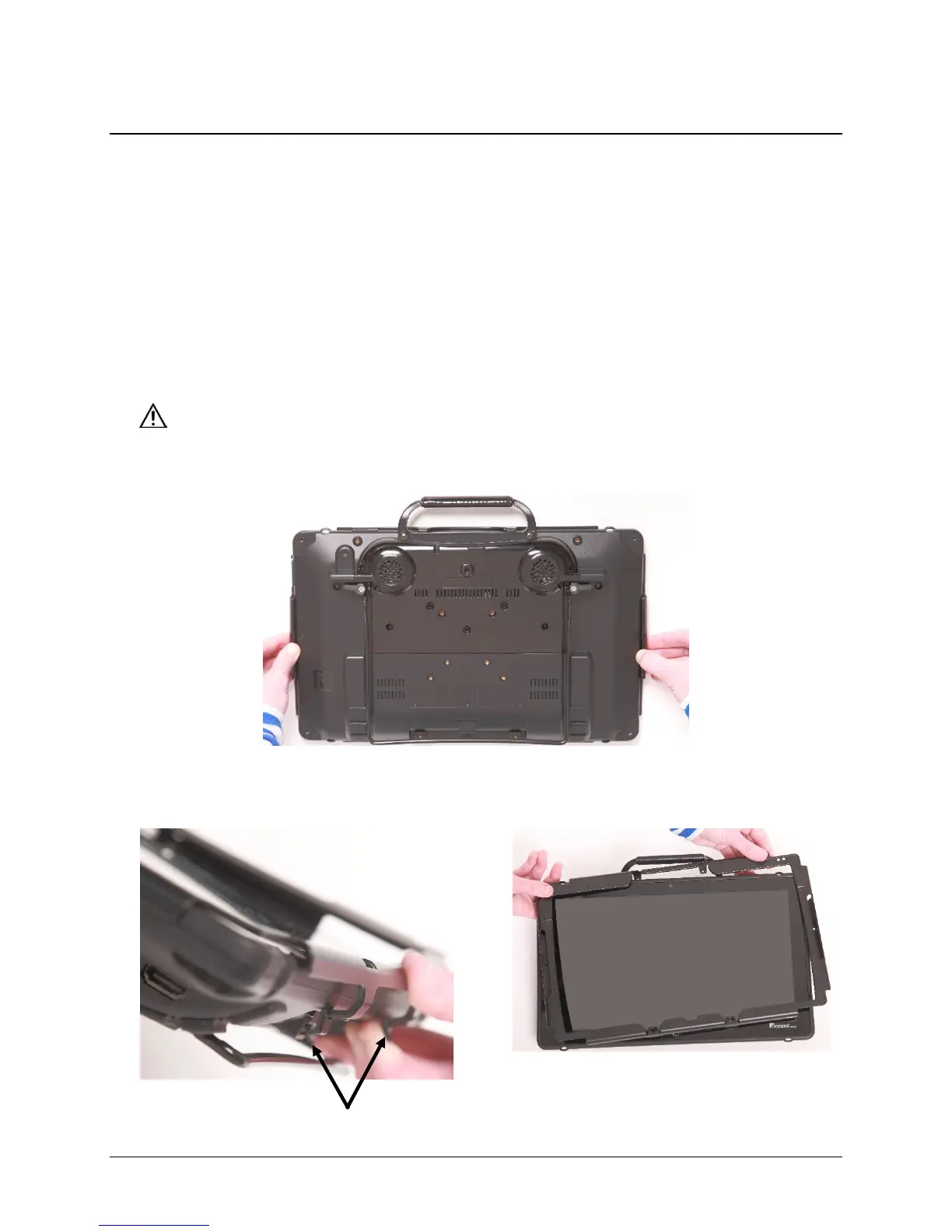
3. Pull the sides of the frame loose from the device. Hint: You may want to use a flat-head screwdriver or
a similar tool.
4. Use the two tabs to snap the bottom of the
frame loose from the device.
5. Lift out the tabs at the top of the device and
lift the frame off the device.



 To Next Page