Accent 1400 Hardware Manual for Dedicated Devices Page 32
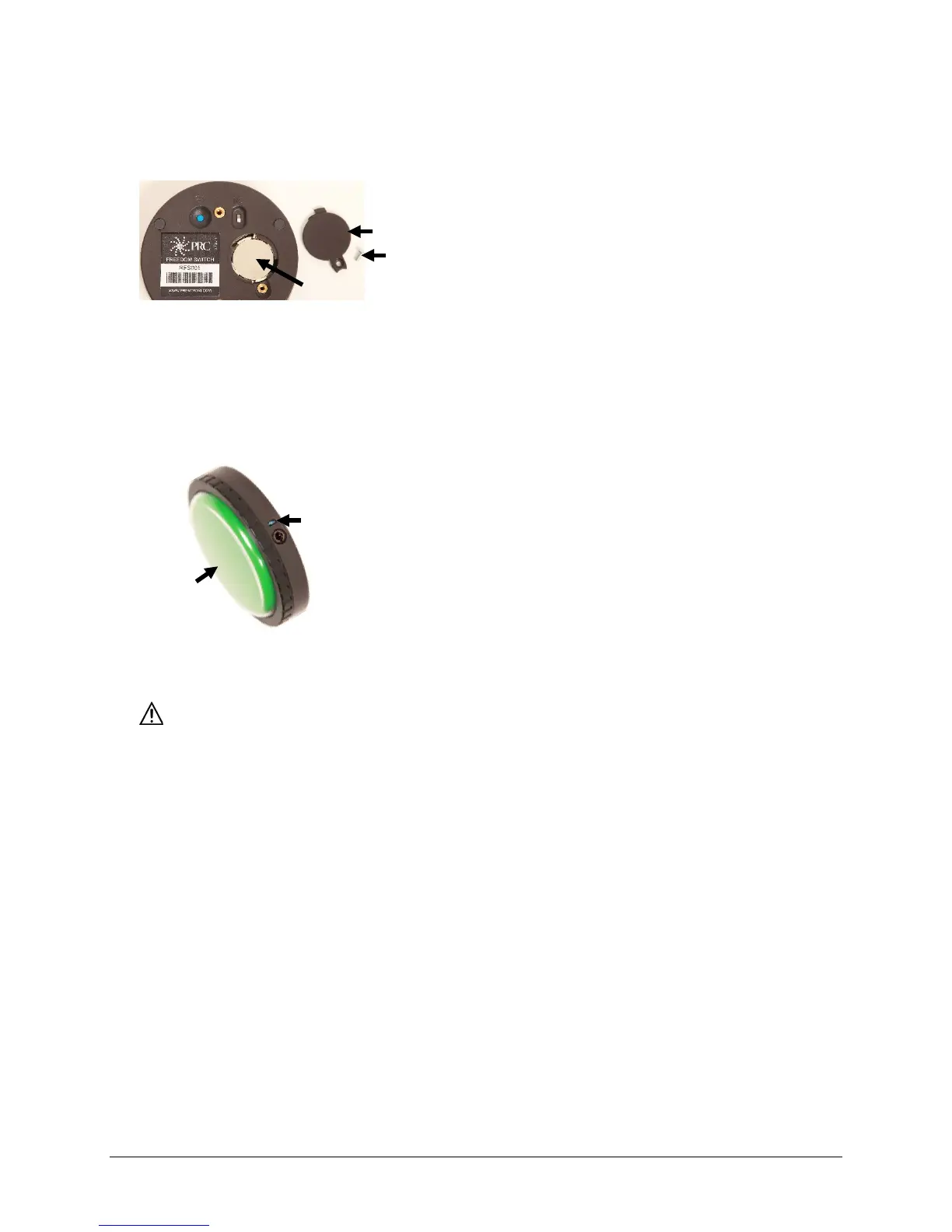
Replacing the Freedom Switch Battery
Note: Leave the I/O switch turned on.
1. Remove the battery cover screw and the cover.
2. Remove the battery.
Note: Information needed to purchase a replacement battery is printed on the battery.
3. Insert the replacement battery with the plus sign (+) facing up toward you.
4. Press the large Freedom Switch button. If the blue LED illuminates, you know you have inserted the
battery correctly.
5. Replace the cover and screw.
Dispose of the old battery in accordance with your local, state, and/or country regulations.
large button
The LED should
illuminate



 To Next Page