Accent 1400 Hardware Manual for Dedicated Devices Page 30
Using Multiple Freedom Switches
You can use the Freedom Switch as a single switch or in combination
with a second Freedom Switch for 2-switch scanning. By default, the
switch is set up to be used as a single switch. To use multiple switches,
you’ll need to set an internal switch.
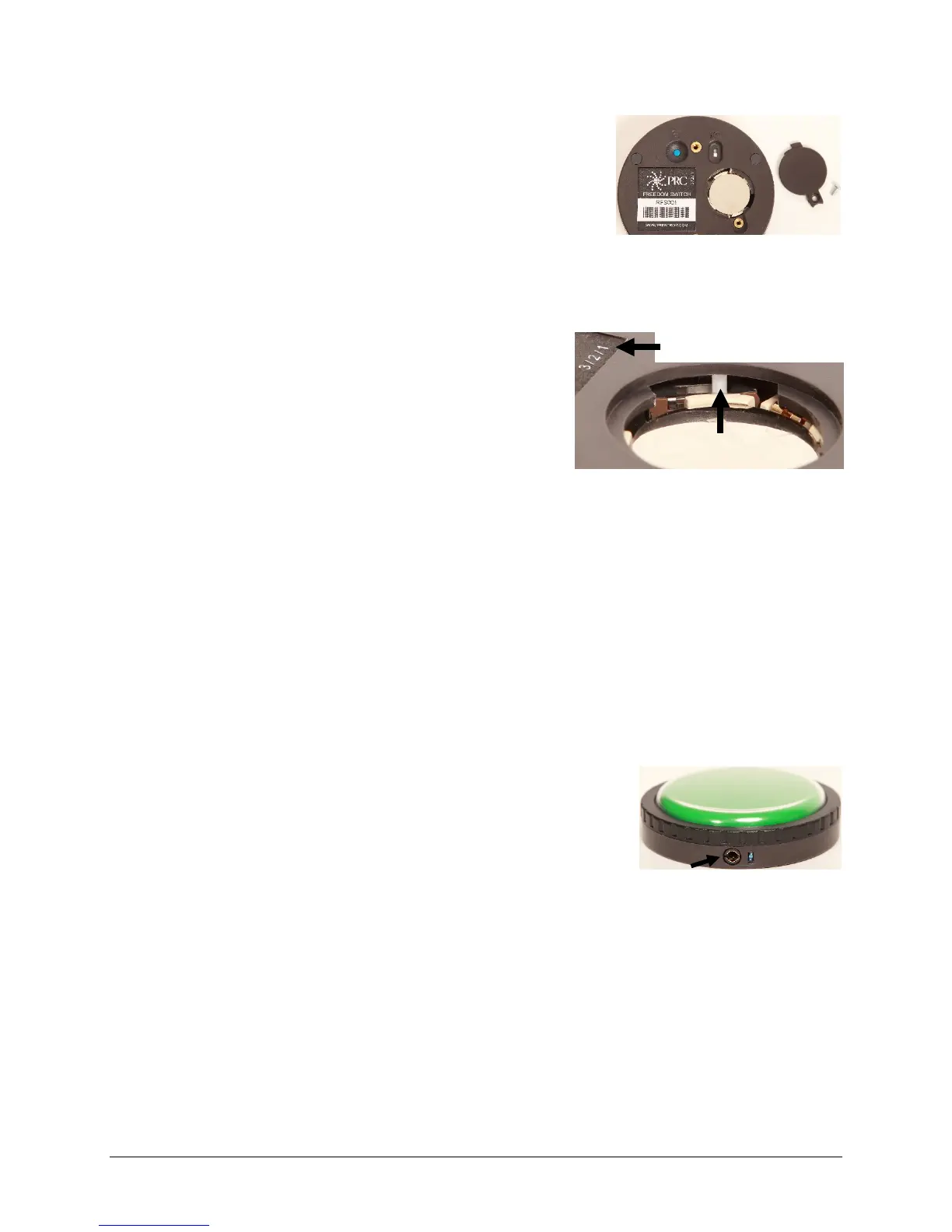
1. Turn off the first Freedom Switch by sliding the I/O switch to the
OFF position.
2. Remove the battery cover using a Phillips screwdriver.
Note: You do not need to remove the battery.
3. Verify that the internal slide bar is set to position 1 as shown
on the label. If the switch is not set to position 1, move the
slide bar all the way to the right.
Note: A small screwdriver or the tip of a pen or pencil may
be helpful to move the slide bar.
4. Refasten the battery cover.
5. Set the identification of the second Freedom Switch by following steps 1 and 2 and then moving the
white slide bar to position 2 as shown on the label. Position 2 is one position
to the left of position 1. Refasten the battery cover.
6. Connect the Freedom Switches as described under “Connecting the Freedom Switch” above.
Using the Freedom Switch with a Wired Switch
You can also use a wired switch with the Freedom Switch for 2-switch scanning. Using a wired switch
requires a stereo cable to connect the wired switch to the Freedom Switch. Without a stereo cable, the
wired switch may create interference and disrupt the performance of the Freedom Switch.
Note: Stereo cables are available from local retailers or from the PRC website at Store/Prentrom.com
under “Switches”, and then “PRC Switches”.
1. Connect the Freedom Switch to the device as described under
“Connecting the Freedom Switch” above.
2. Plug the stereo cable into the port on the side of the Freedom
Switch.
3. Plug the wired switch into the red connector on the stereo cable.
The switches should be ready to use.
Slide bar positions are



 To Next Page