
EasyManua.ls Logo

Accurate Logic Pulse Series - User Manual

Accurate Logic Pulse Series
50 pages
Print Icon
To Next Page IconTo Next Page
Loading...
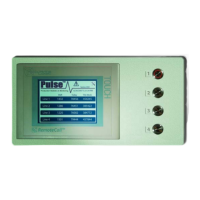
Pulse™ Series Remote
Monitoring Systems
Operations Manual
Document #701009
Version 1.0

Questions and Answers

  • R
    Richard MarquezJul 29, 2025
    What to do if the web page is not showing data on Accurate Logic Pulse Measuring Instruments?
    • S
      Shawn FlemingJul 29, 2025
      If the web page for your Accurate Logic Measuring Instruments isn't displaying data, it might be because the Pulse unit was off for a while. In this case, the pulse’s internal web data will need to be reloaded. To resolve this, press the button on the System Configuration screen. Note that this button will only appear if the system detects that the web data is corrupted or missing.
  • J
    John SimpsonAug 8, 2025
    Why are the RemoteCall lights flashing on my Accurate Logic Measuring Instruments?
    • D
      dawsonpeterAug 8, 2025
      If the RemoteCall lights on your Accurate Logic Measuring Instruments are flashing, it indicates that the network cable might not be properly connected or there may be network issues. To fix this, plug the cable back in securely. If the problem continues, contact your IT department for assistance.
  • A
    Angela WoodAug 18, 2025
    What to do if there is blinking on Main Screen of Accurate Logic Pulse Measuring Instruments?
    • T
      Terry CarterAug 18, 2025
      If the main screen of your Accurate Logic Measuring Instruments is blinking, it means that the Pulse Unit is recovering from a power failure. Wait for about 30 seconds to allow the Pulse Unit to power back on. Keep in mind that no data will be collected during this boot up time.

Summary

Setting up the System

Hardware Setup

Details the easy configuration steps for the system's hardware, including power, sensors, and network connection.

Pulse Software Setup

Explains how to access the configuration screen and the recommended order for system setup: Ethernet, Sensors, Email, System.

Ethernet Setup

Guides through entering IP Address, Subnet, and Gateway information for network connectivity.

Sensors Setup

Details configuring sensors, including naming, display visibility, and logging options for each sensor.

Email Setup

Guides on configuring SMTP address, port number, and email addresses for reports and remote calls.

System Setup

Explains how to configure system settings like date/time, administrator password, and screen contrast.

Pulse Features

Making Changes to Your Pulse

Troubleshooting

RemoteCall lights are flashing

Addresses issues with flashing RemoteCall lights, suggesting network cable checks or IT department contact.

X blinking on Main Screen

Explains that the X blinking indicates recovery from power failure and suggests waiting for reboot.

Web page not showing data

Troubleshoots missing web data by suggesting reloading via the 'Load WEB' button in System Configuration.

Accurate Logic Pulse Series Specifications

General IconGeneral
BrandAccurate Logic
ModelPulse Series
CategoryMeasuring Instruments
LanguageEnglish