WinCEGeräte_Handbuch_Administration_v2 00_en 10 / 84
1.4.4.1 stopboot.acd
Another way to stop programs booting is if the device is configured with an empty stopboot.acd file:
• under \Flashdisk
• or on the SD card (root directory)
1.4.5 Startup configuration
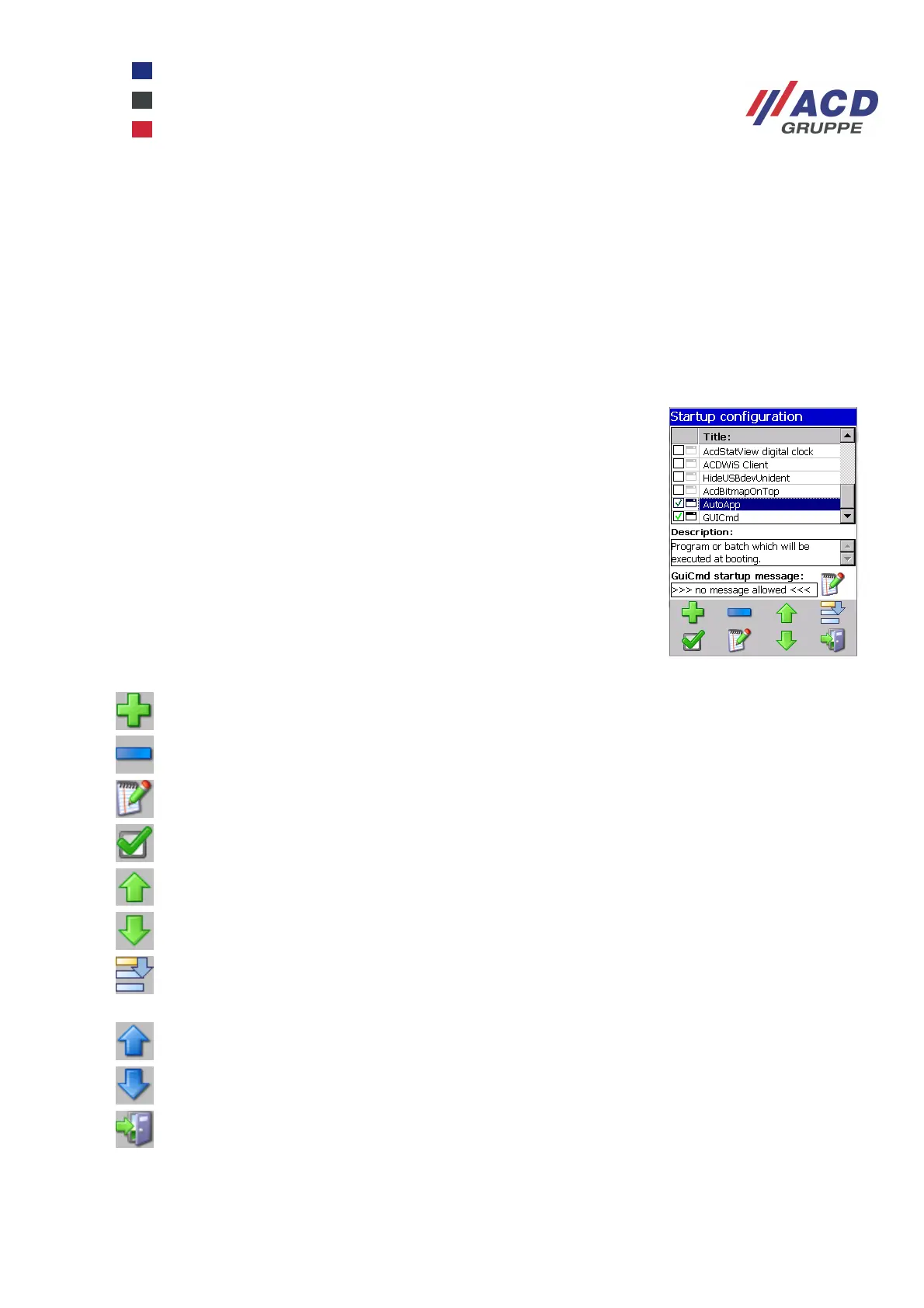
The StartConfig program is a configuration program for Windows CE devices. It is used to activate and
configure the programs that are launched when the device boots.
Go to Start / Programs / ACD / StartConfig to launch the program.
The existing configuration is displayed in the Startup dialogue box.
The icon section is divided into two parts:
The checkbox on the left is used to enable or disable the option. An icon is
displayed on the right to show the type of option.
Each option can also be edited, deleted or moved to another position in the list.
The Plus icon is used to add other options.
Go to the program selection list to add a new option.
Delete the highlighted option.
Edit the highlighted option.
Enable / disable the highlighted option.
Highlight move one line up.
Highlight move one line down.
Enable / disable the highlight and shift mode.
In "shift" mode, you can also highlight lines next to the line already highlighted by tapping them.
Move the highlighted line(s) one line up.
Move the highlighted line(s) one line down.
Exit program.



 To Next Page