WinCEGeräte_Handbuch_Administration_v2 00_en 50 / 84
2.6.8 PPP connection
The PPP communication protocol (Point-to-Point) is installed on the Windows CEdevices. It is used to
initialise and authenticate a TCP/IP connection, for example via a modem to the Internet or on a local server.
2.6.8.1 PPP modem connection
The mobile devices' docking stations can have analogue or ISDN modems.
Data is transferred to a server over a PPP modem connection.
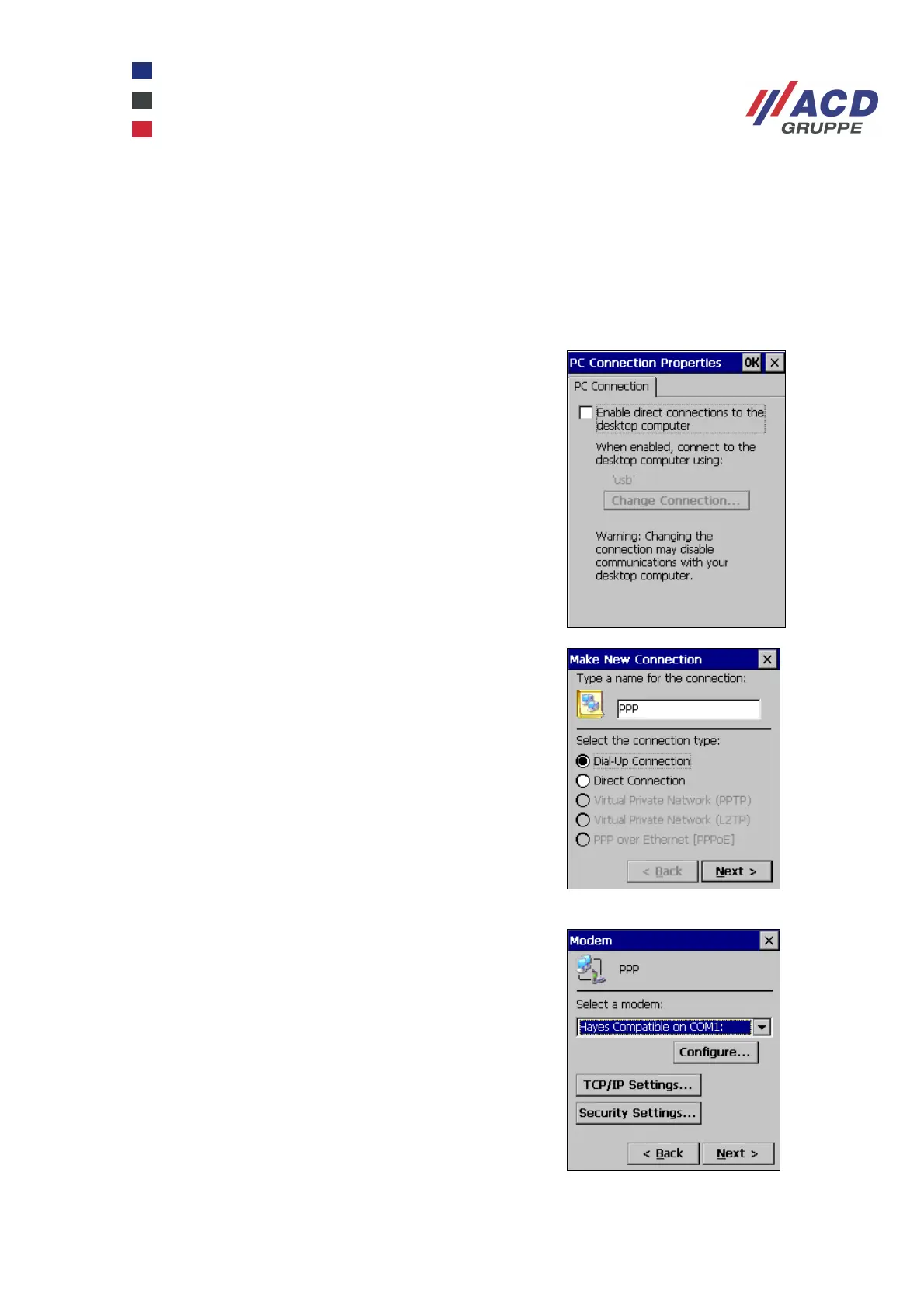
Deactivate direct connections
Click Start / Settings / Control Panel / PC Connection.
Disable the Enable direct connections option.
Create a new profile:
Click Start / Settings / Network and Dial-up Connections.
Create the new profile by opening the Make New
Connection dialogue box.
Enable the Dial-Up Connection and enter a new name.
Select the serial interface you require.
Launch the serial configuration by clicking Configure.



 To Next Page