WinCEGeräte_Handbuch_Administration_v2 00_en 57 / 84
2.7.3.2 ActiveSync connection via IrDA on M210SE and M215SE
When using a laptop as the remote station, the IrDA interface
must be activated and authorised as an interface in the Mobile
Device Center.
When a PC is used as a remote station, an infrared adapter
must be connected to the PC with a serial or USB connection
and activated.
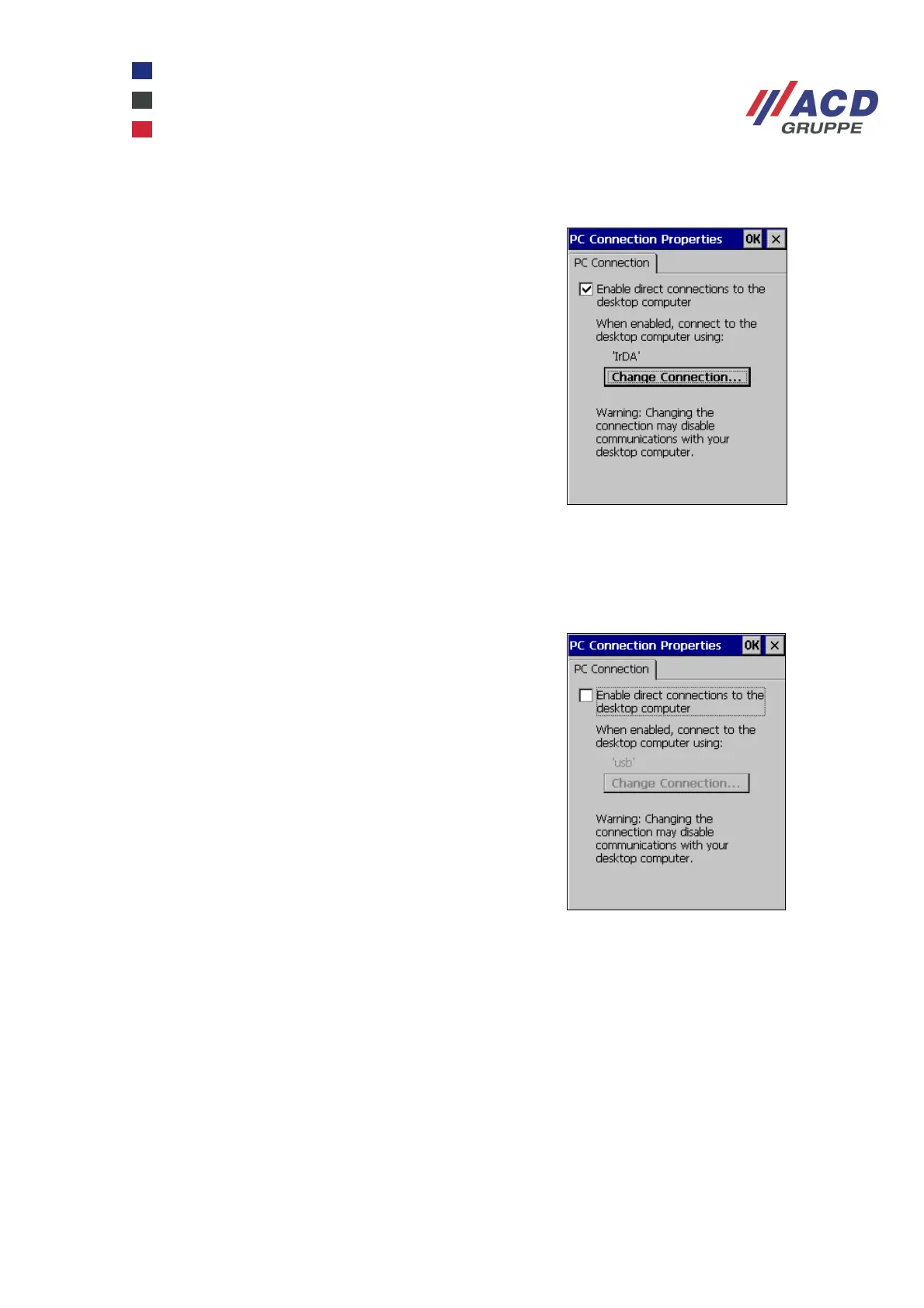
On the device, IrDA is selected as the interface under
Start / Settings / Control Panel / PC Connection.
Enable direct connections is activated.
The registry is then saved persistently.
2.7.3.3 Deactivating ActiveSync
ActiveSync can be deactivated.
Select Start / Settings / Control Panel / PC Connection,
Disable the Enable direct connections option.
Then persistently save the registry.



 To Next Page