WinCEGeräte_Handbuch_Administration_v2 00_en 66 / 84
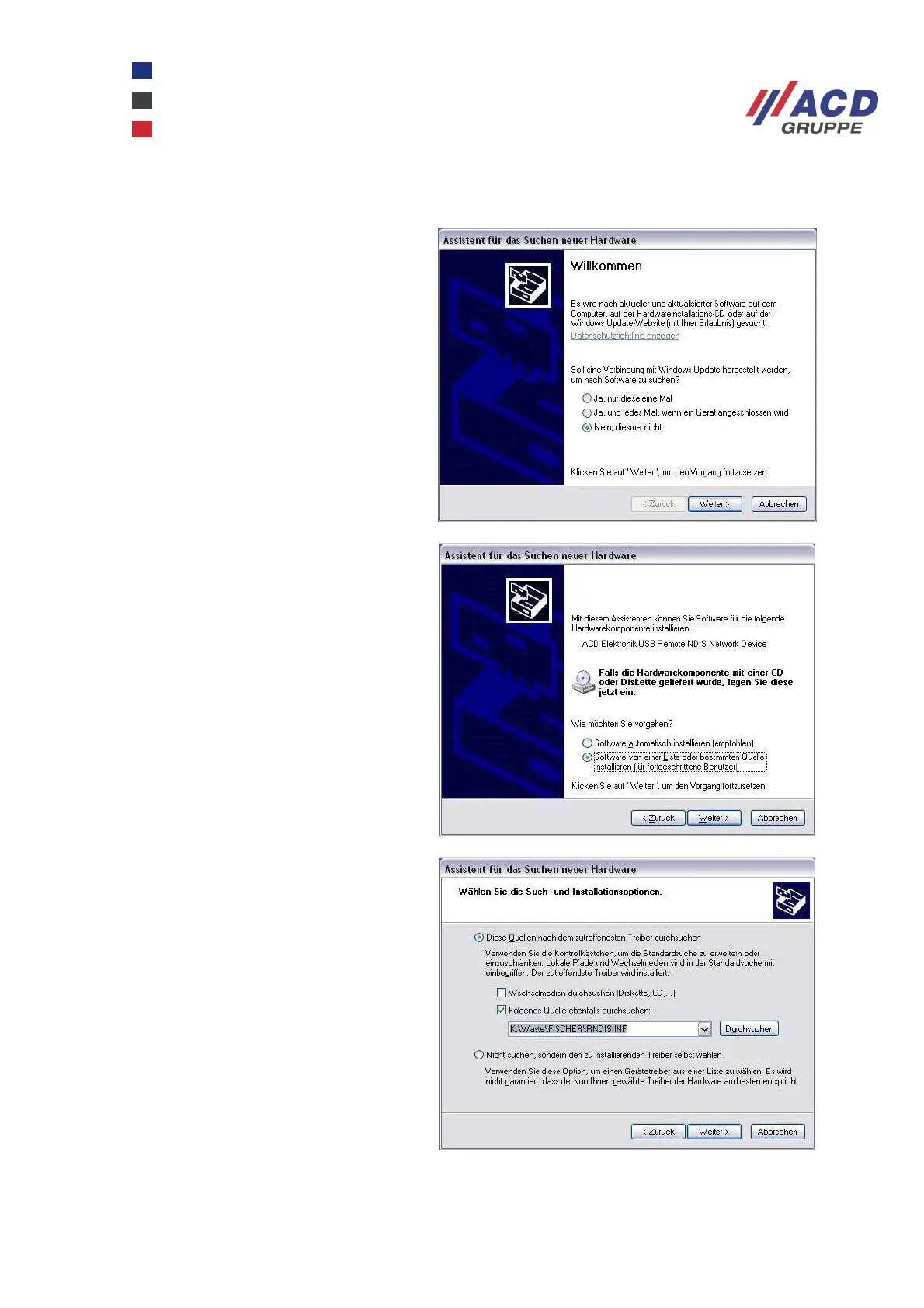
3.1.2 Driver installation under Windows XP
Once the device has been switched on in
the docking station, a new hardware is
detected on the PC.
As the driver you require is stored locally,
you do not need a connection to the
Windows Update.
To enter a path to locate the driver files,
the Install from a list or specific location
option must be enabled.
Now select the path where the driver files
are saved under Include this location in
the search.



 To Next Page