WinCEGeräte_Handbuch_Administration_v2 00_en 51 / 84
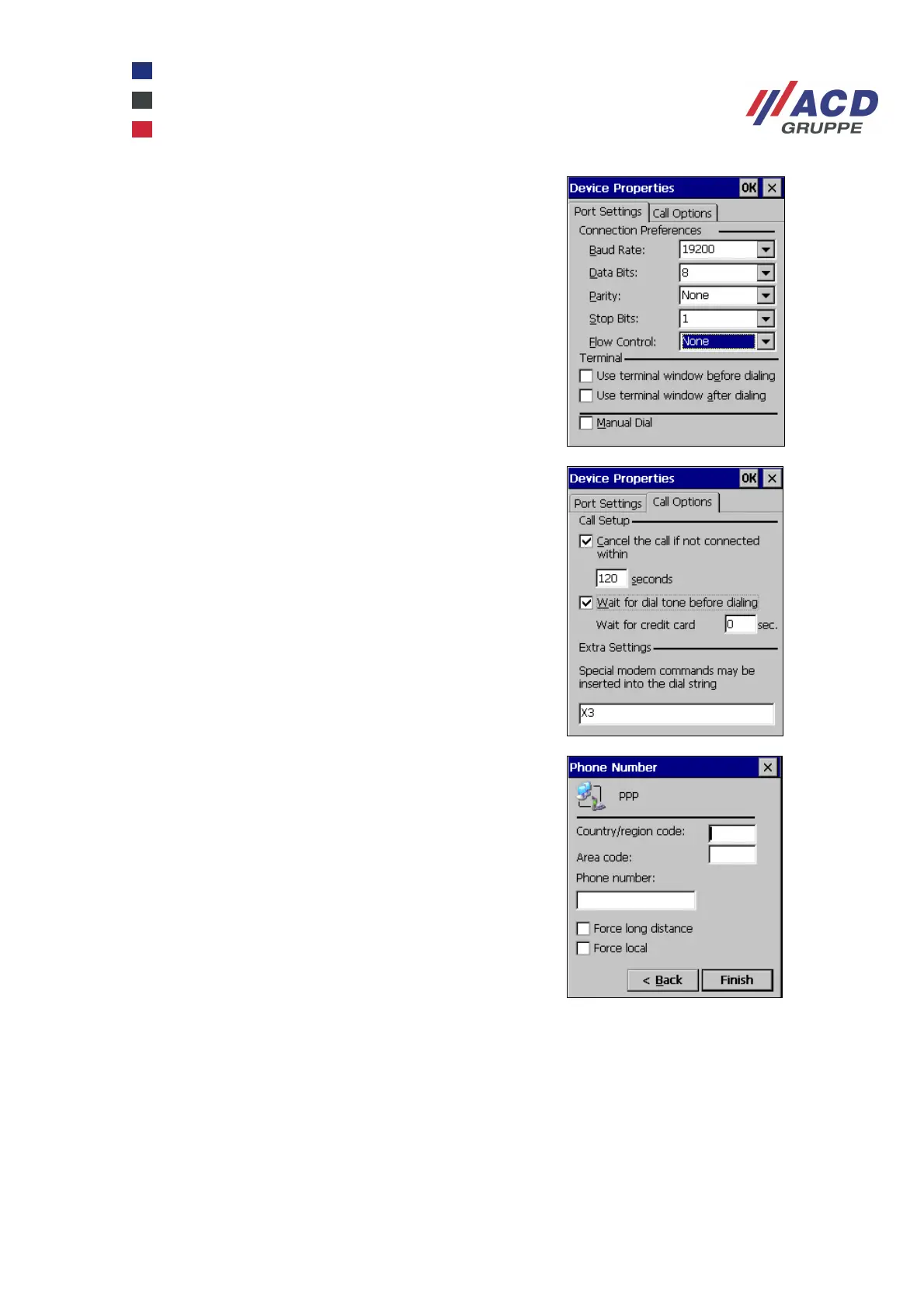
Configure the interface parameters.
Set Flow Control to None.
Depending on the telephone connection, the automatic
recognition of the dial tone must be disabled.
To do this, on the Call Options tab under
Special Modem Commands, add the character string
"X3" or "X1".
Now enter the dial parameters.



 To Next Page