WinCEGeräte_Handbuch_Administration_v2 00_en 41 / 84
The PAN profile (Personal Area Network)
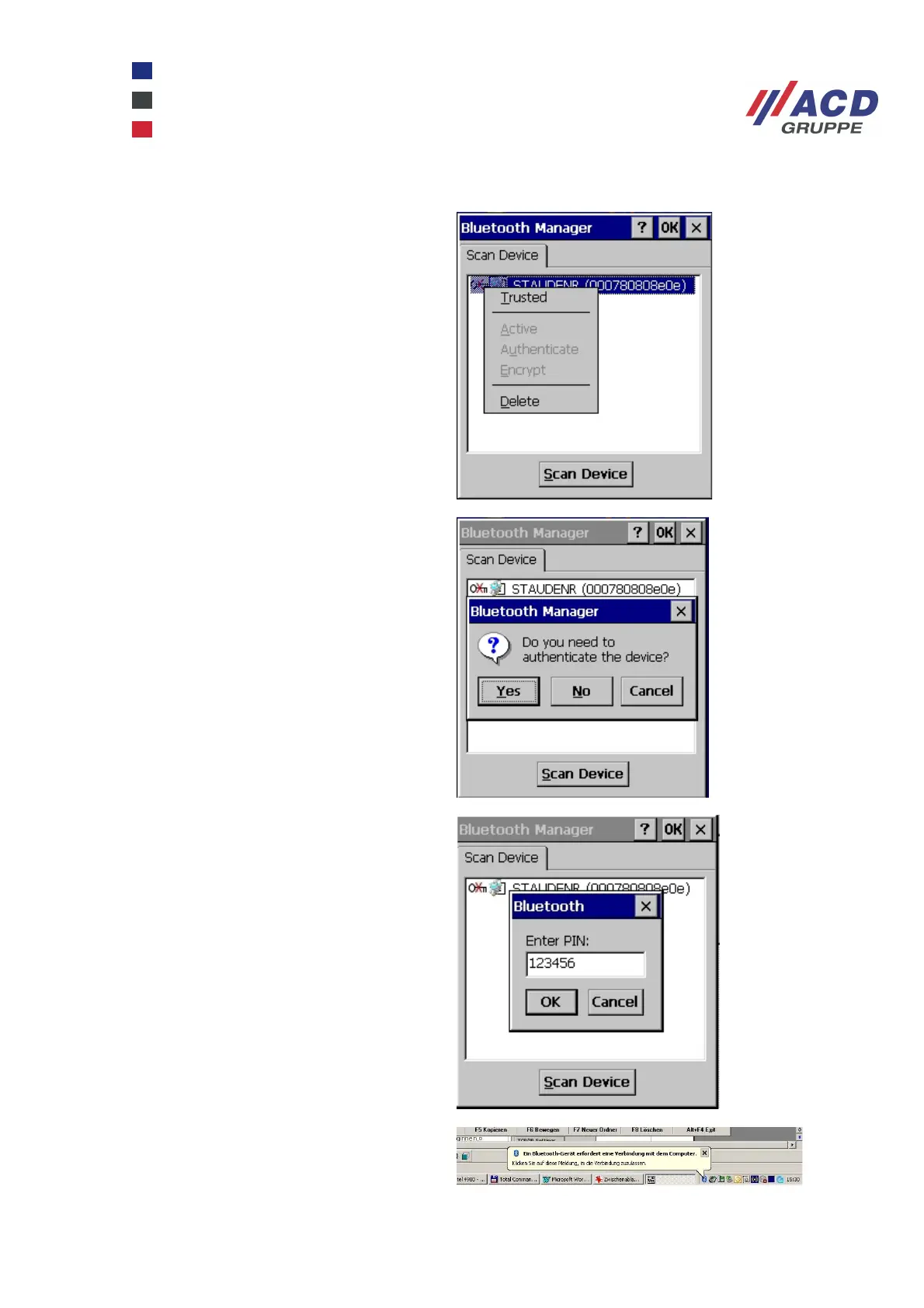
Double-click the profile you require (PAN in
the screenshot on the right, the "Bluetooth
network connection") and enable Trusted. If
the PAN profile is not recognised, Bluetooth
must be enabled at the requested
communication partner. The PAN profile
may also have to be enabled.
Confirm the authentication request.
Enter any number code as a PIN.
Click the message that appears at the
communication partner. In the screenshot on
the right, a PC with Windows XP.



 To Next Page