WinCEGeräte_Handbuch_Administration_v2 00_en 63 / 84
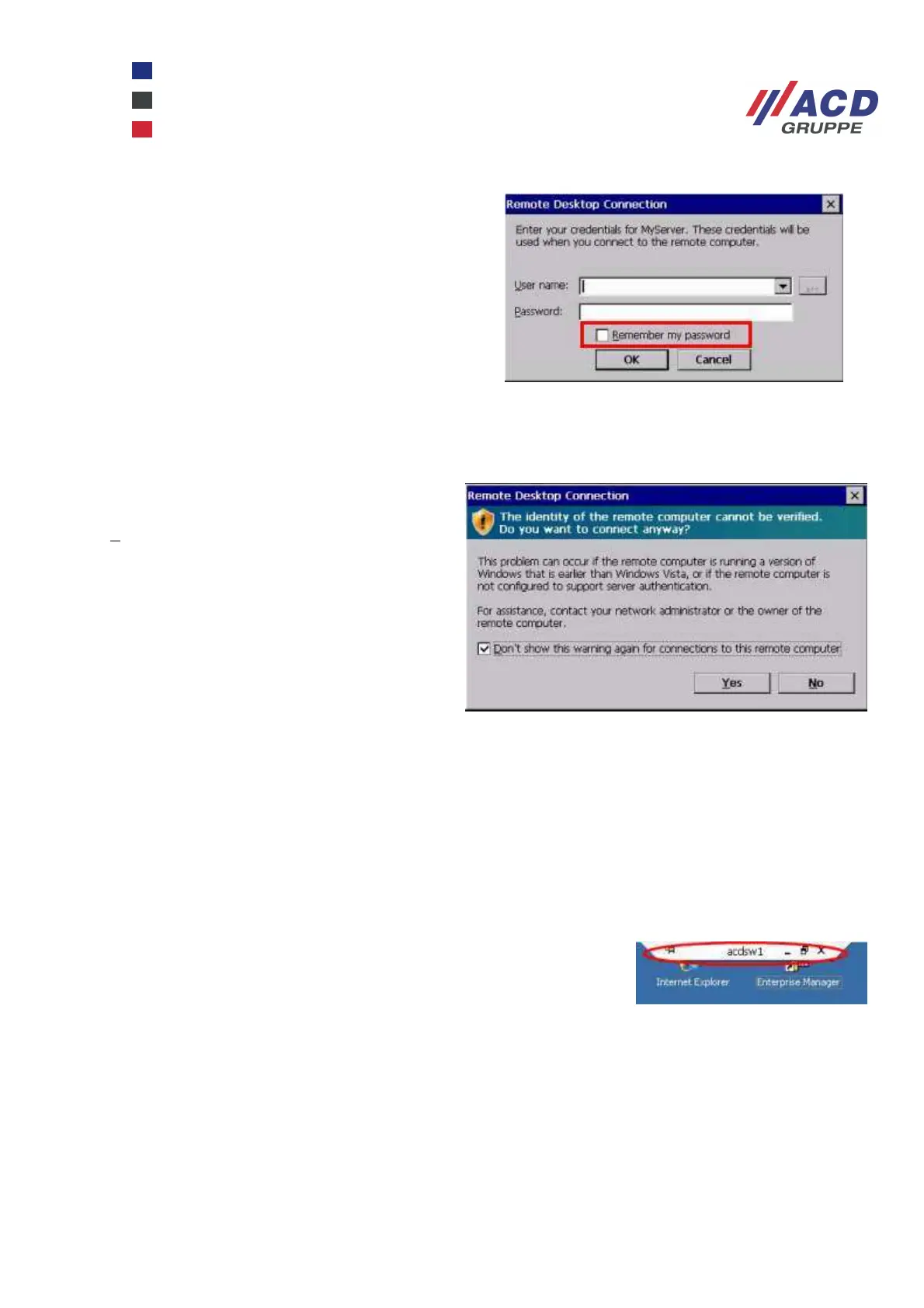
When the session is restarted, an additional
checkbox appears in the logon window to
temporarily save the password. To save the
password beyond a cold boot, the Save
Registry option must be enabled once the
device is connected.
In the next warning window, enable the Don’t
show this warning … checkbox and press the
Yes button
The connection is set up.
Once the session has been created, the Connection Bar cannot be
accessed and it is not possible to Save Registry.
To re-access the system, the virtual keyboard is displayed for the user to
first press "Crtl" and then "Esc". The Windows CE taskbar should then
appear and other actions can be performed.



 To Next Page