Acer E200 Smartphone User Guide18
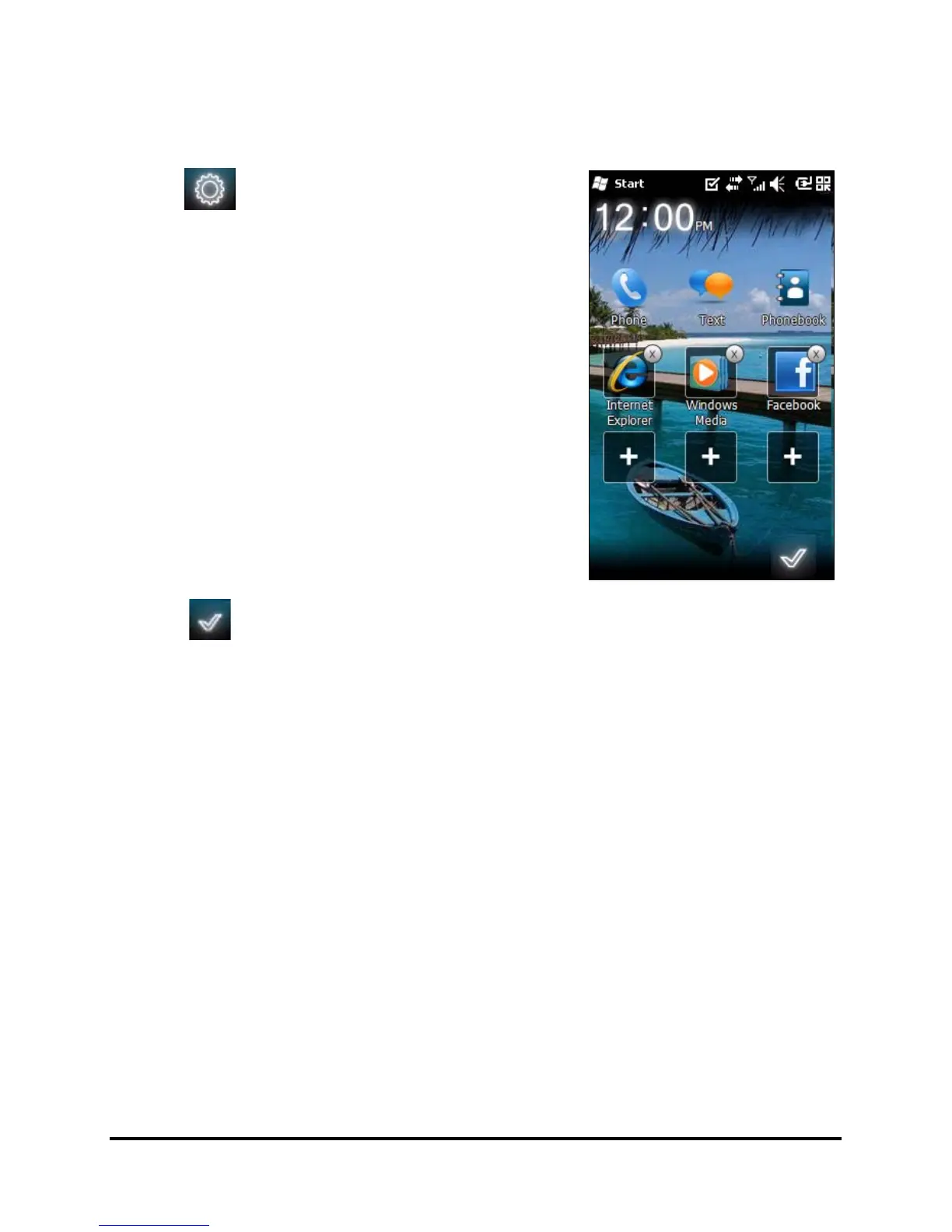
Changing or removing shortcuts
Tap to add, change or delete the
changeable shortcuts.
If you tap the + on a shortcut
placeholder that is not occupied, you
will be taken directly to a screen that
lists all the applications available on
your smartphone.
If you tap on an already-defined
shortcut, you will be asked if you want
to change the shortcut or if you want
to remove the shortcut. Tap Cancel to
retain the shortcut.
Tap to save your changes and exit.
Connecting to your PC and
synchronizing data
You can synchronize the data on your smartphone with the
data on your PC using the supplied USB sync cable and the
Windows Sync Center or ActiveSync.
Refer to “Connecting to a PC and installing software“ on page
53 for more details on connecting and synchronizing.


 To Next Page