19Before making a call
Chapter 2: Making Calls
This chapter shows you how to make phone calls, and the vari-
ous options available to you during your call.
Before making a call
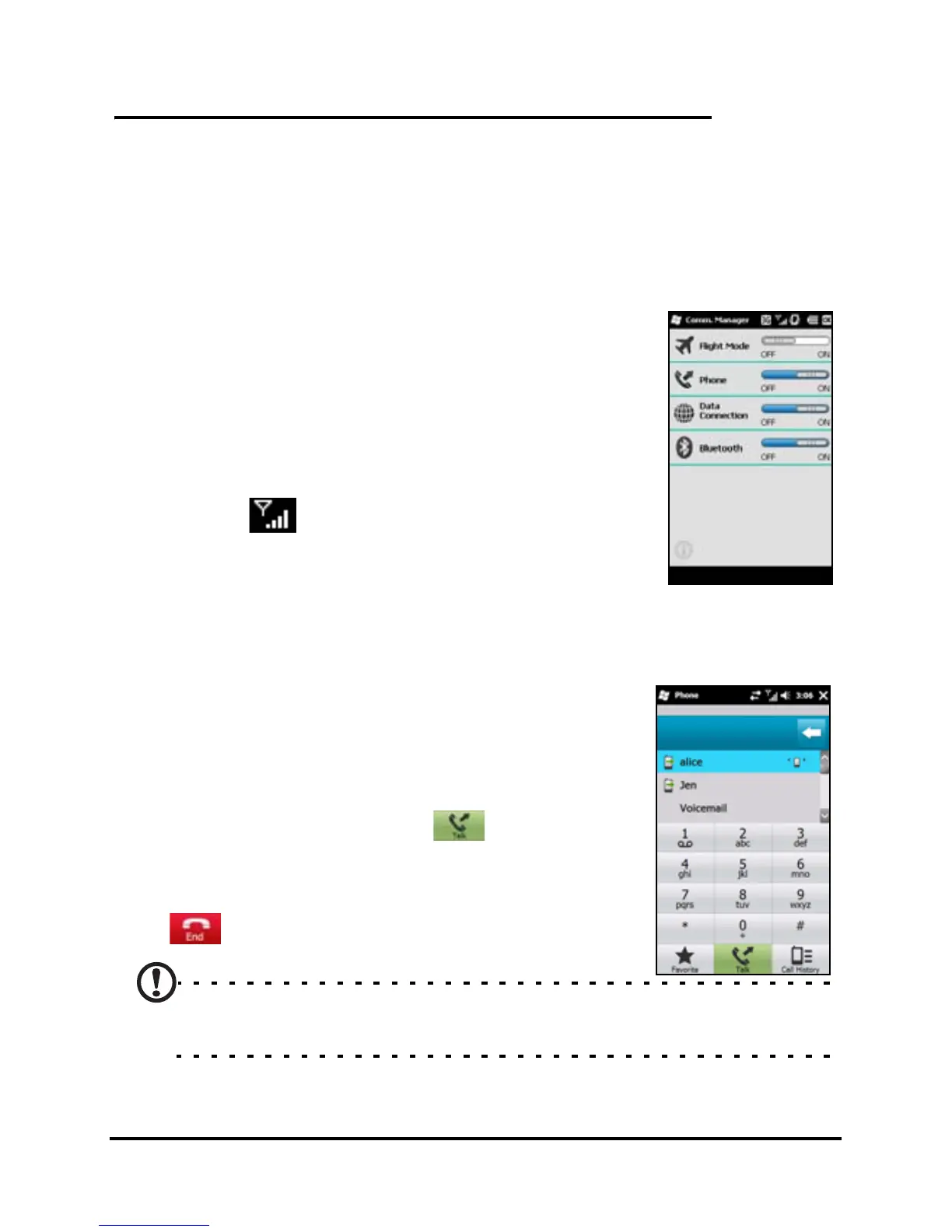
Check that the phone function is on before
you make a call; you can activate the phone
from the Comm. Manager (refer to
“Comm.
Manager” on page 44).
1. To access the Comm. Manager, tap the
communication icons at the top of the
screen or Start > Comm. Manager.
2. Tap the phone connection icon so it dis-
plays On.
Making a call
1. From the Today screen, press the Call
button to open the onscreen number
pad.
2. Enter the number you wish to dial.
3. Press the Call button or to make the
call.
4. To end the call, press the End button or
.
Note: The phone function needs to be enabled before the call can
be connected.


 To Next Page